Even with Google and ChatGPT, people still go to Reddit to ask the questions the rest of the internet answers badly, which makes it a rich source of content angles and the real language your buyers use. The flow: ask Pi where your ICP posts and what to search for, run a Reddit discussion report from Content Ideas (paste a Google search term or a single thread URL), read the pains, jargon, and peer recommendations it pulls out, then Quick Add the topics you want to your Ideas Database and write them. It’s the best route to top-of-funnel posts with an angle generic AI won’t hand you.

Why Reddit

People head to Reddit when the content that already exists doesn’t close the gap, so the threads are full of two things worth mining: the angles nobody has covered well, and the specific recommendations people give each other. That gives you language and takes an LLM won’t default to, which is what makes the resulting posts feel distinct.

1. Find where your ICP posts

Once Pi knows your company and ICP, ask it where those people hang out:
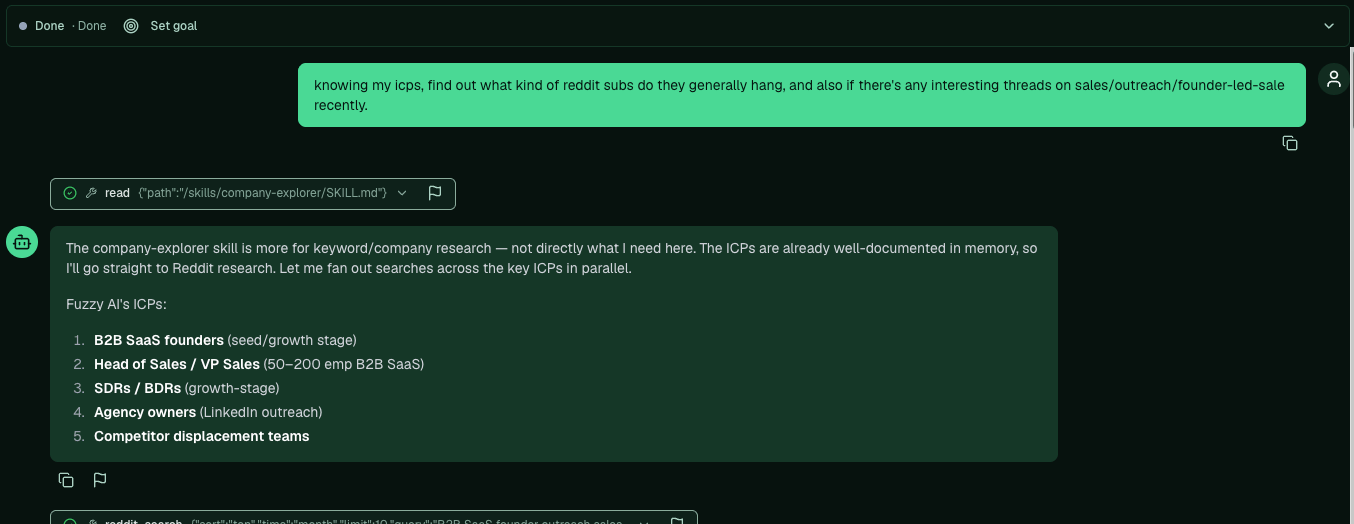
knowing my ICPs, find out what kind of reddit subs they generally hang in, and any interesting threads on [your space] recently.
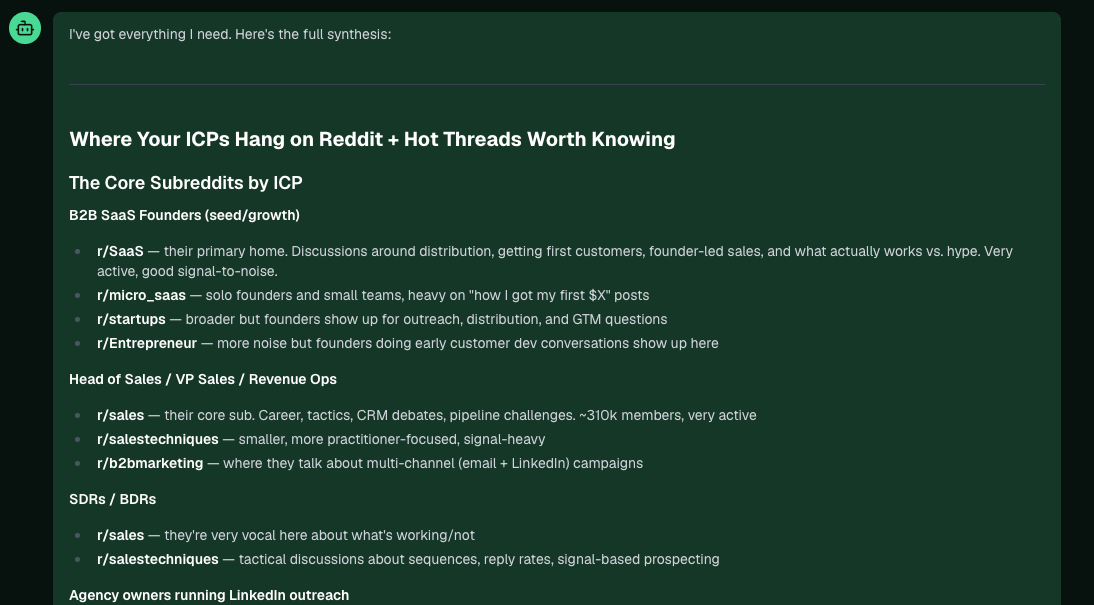
Pi lists your ICPs, then the subreddits each one lives in, with a few current threads worth knowing.
Asking Pi where the ICP hangs on Reddit, with the ICP list
Pi's breakdown of the core subreddits by ICP

2. Get search queries for their pain points

You’re hunting for pain language you can pull real data from. Ask Pi for search terms:
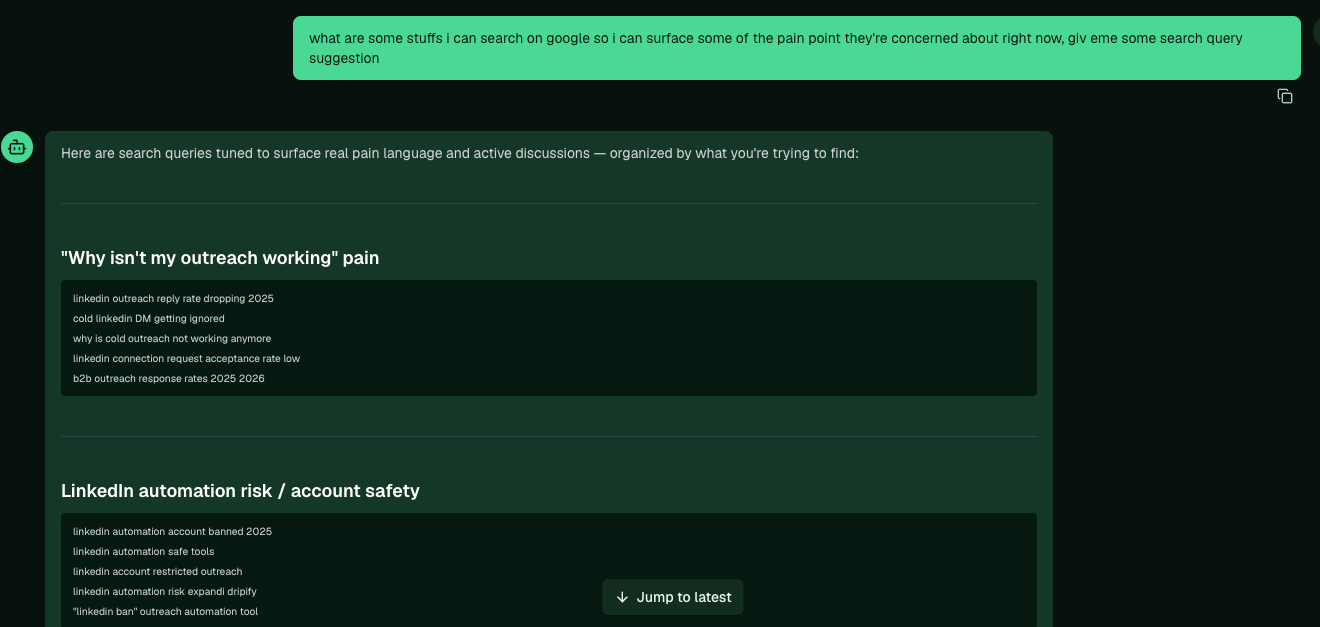
what can I search on Google to surface the pain points they care about right now? give me search query suggestions.
Pi returns queries grouped by pain, tuned to surface active discussions.
Pi's suggested Google search queries grouped by pain

3. Run a Reddit discussion report

Open Reddit Discussion Reports in the sidebar, under Content Ideas. There are two ways to feed it:
  • From Google Search: paste a search term (like linkedin DM getting ignored) and it pulls the top threads for that query.
  • Individual URL: paste a single Reddit thread you already found.
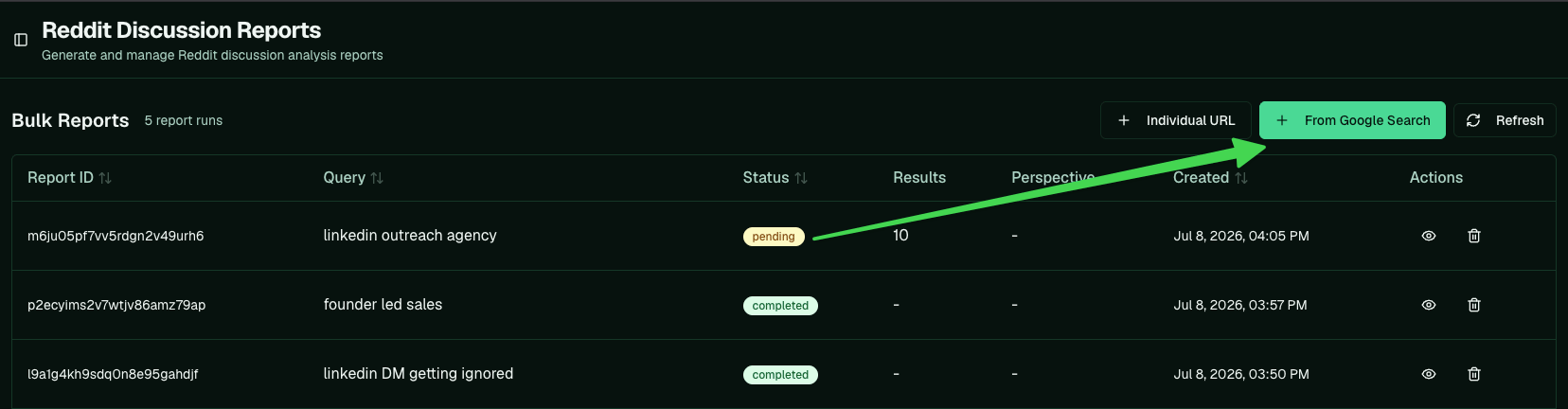
The Reddit Discussion Reports page with From Google Search and Individual URL
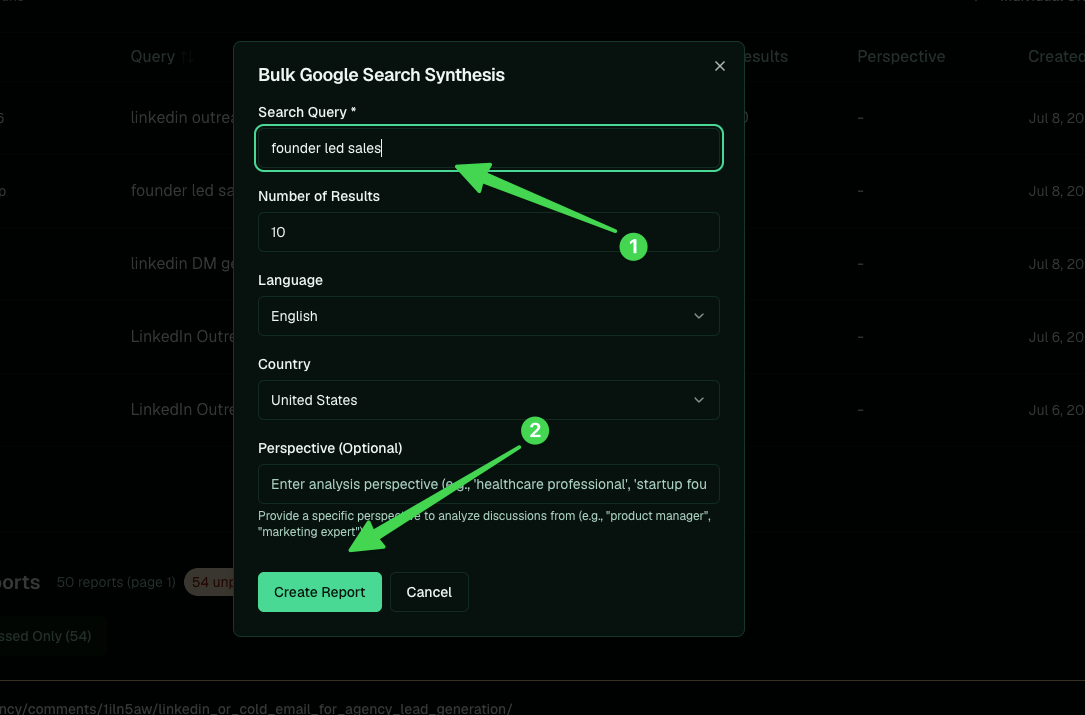
It reads roughly the top ten Reddit threads and analyzes them. Set the number of results, language, and country, then Create Report. The optional Perspective field analyzes the discussion from a specific point of view.
The Bulk Google Search Synthesis modal for creating a report
Fire off a few queries at once; each report processes on its own.

4. Read the insights

Once a report is processed, open it. The analysis splits into tabs:
  • Topics: post ideas drawn from the discussion.
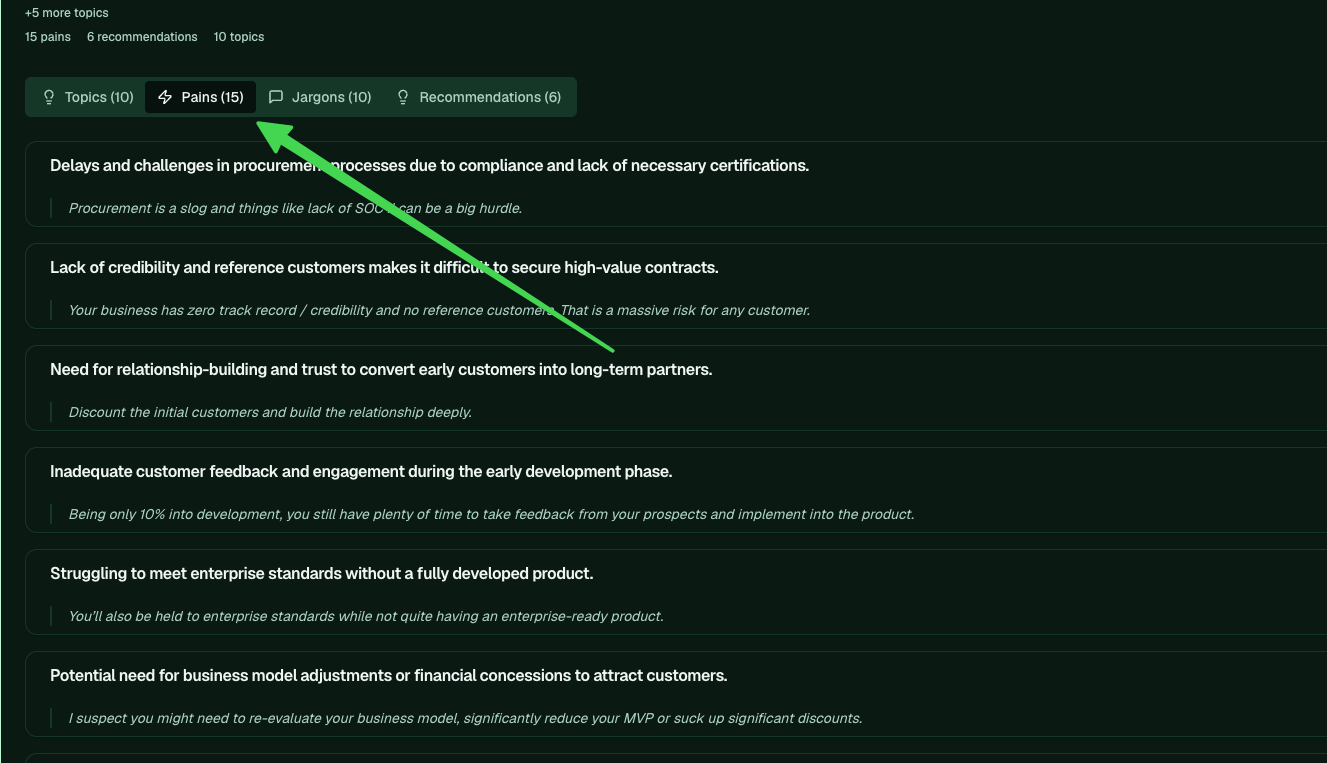
  • Pains: the problems people describe, each with the verbatim quote it came from.
  • Jargons: the words and acronyms your buyers actually use.
  • Recommendations: what Redditors suggest to each other, which is where the more unusual angles hide.
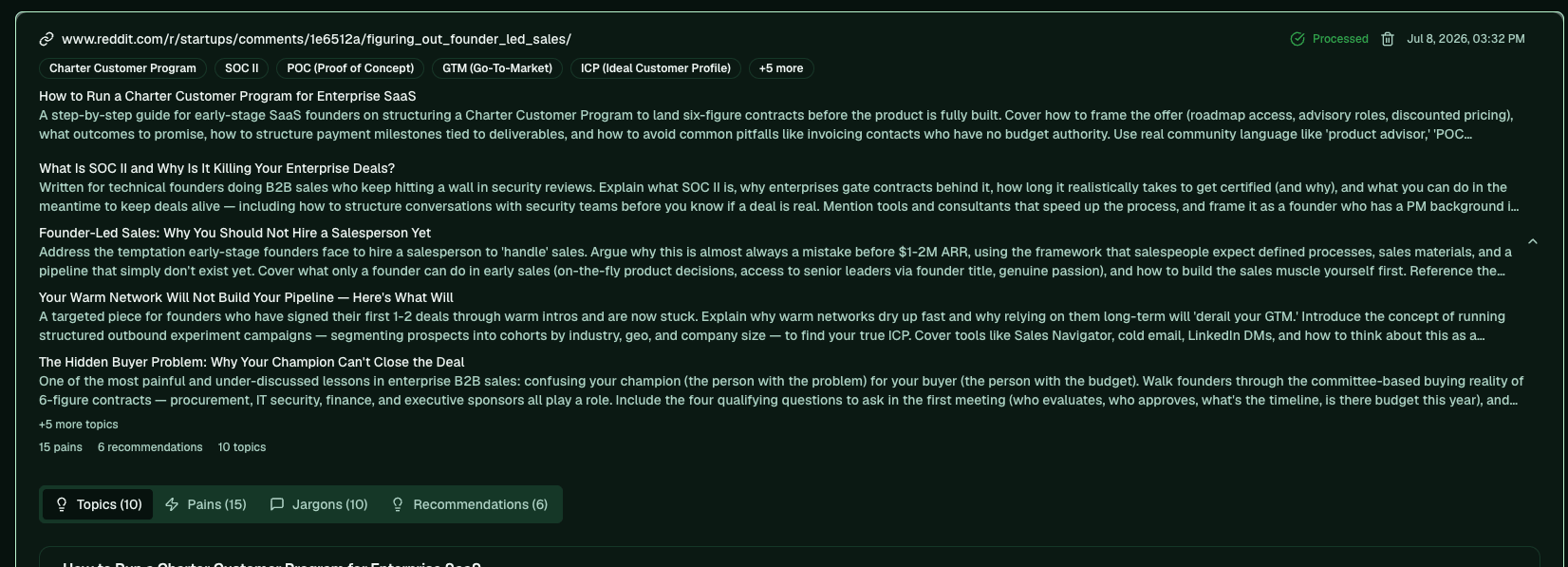
A processed report with Topics, Pains, Jargons, and Recommendations tabs
The verbatim quotes are the point. They hand you the real phrasing to write in, instead of the generic wording an LLM reaches for.
The Pains tab showing extracted pains with the exact quotes behind them

5. Add topics to your Ideas Database

On the Topics tab, Quick Add the ones worth writing (or Add with Form for more control). They land in your Ideas Database.
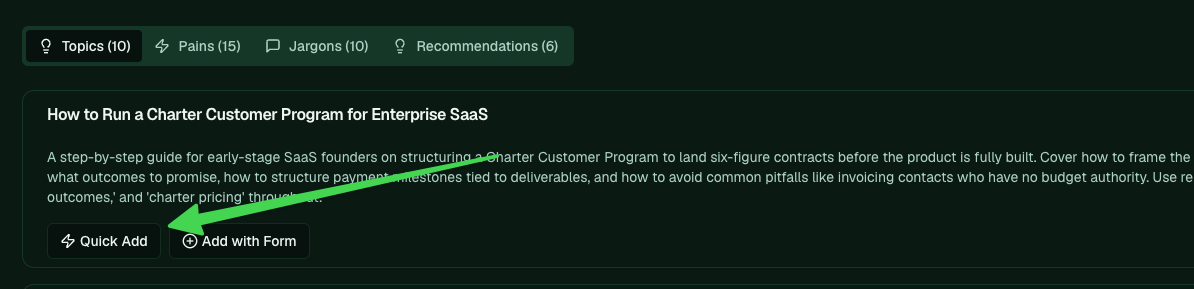
Quick Add on a topic in the report

6. Write them

Open the Ideas Database, under Content Ideas. Your added topics show up with a REDDIT_DISCUSSION source. Hit the lightning icon on one to send it to be written.
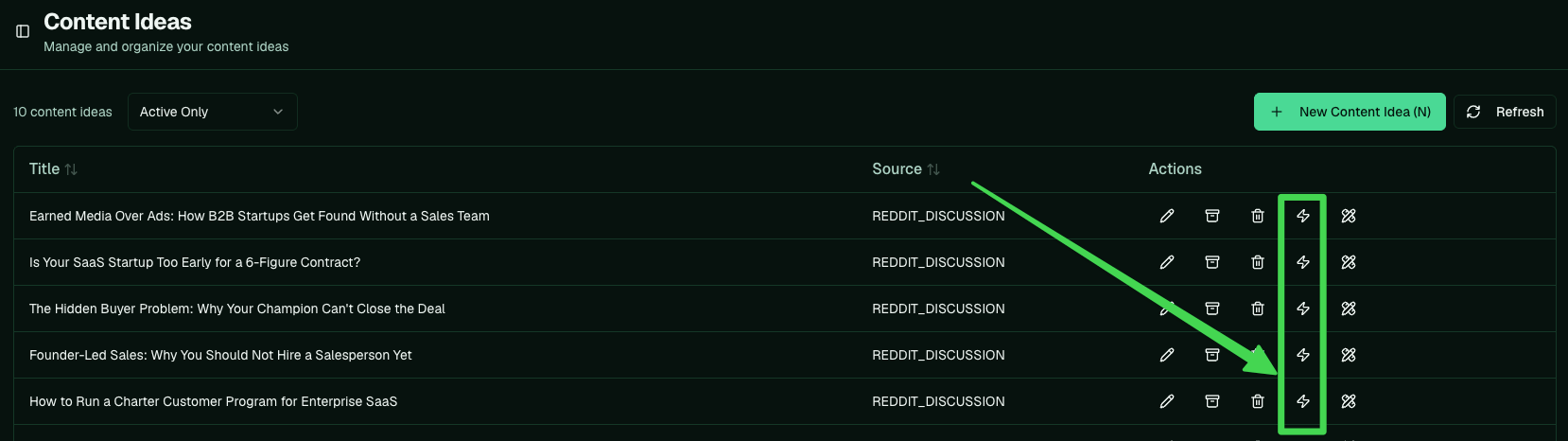
The Ideas Database with a lightning icon to write each Reddit-sourced idea
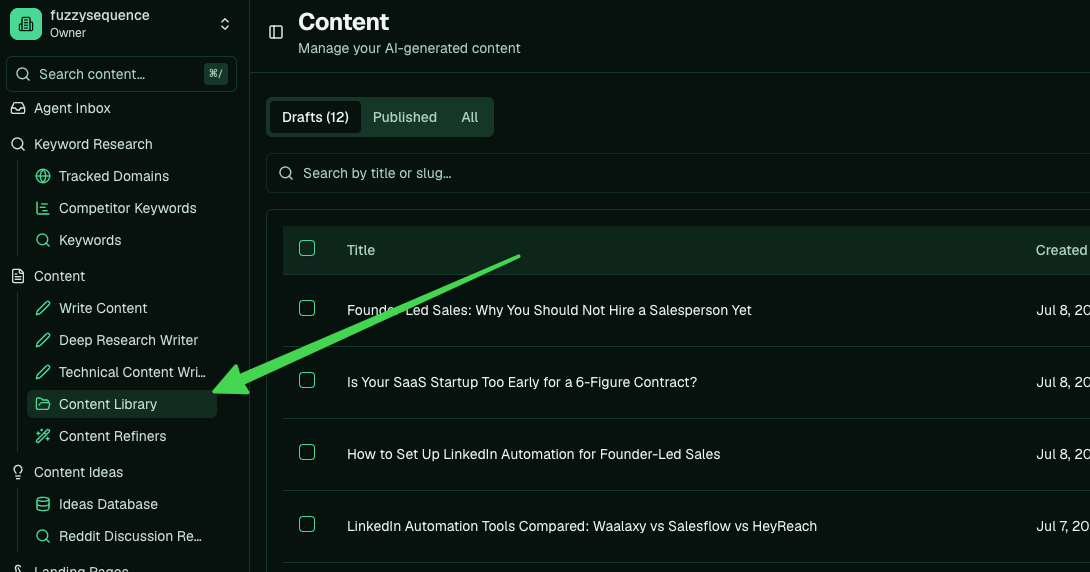
A few minutes later the draft lands in your Content Library, ready to edit and refine.
The written drafts in the Content Library
These come out as top-of-funnel pieces. At this stage your buyer is thinking about the problem, not shopping for tools, so the post meets them there and points back to you. Back to: Creating blogs · Next: Edit an AI-generated article