Steps
- Open the Compliance Guardrail Page.
- Go to View guardrail runs.
- Click Run ad-hoc eval.
- Test with known samples. Paste a piece you know breaches a rule; it should come back Blocked with a flag on the right rule. Then paste one you know is clean; it should Pass with no flags. You can check a single line or a whole blog post.
- Adjust the rule if it gets one wrong. If it over-flags (blocks the clean piece), tighten the carve-out. If it under-flags (passes the bad piece), sharpen the “flag” half or add a bad example. Then re-run.
- Repeat with more samples for breadth. Cover the edge cases and phrasings you actually publish, not just one pair.
- Test on real content your Synscribe writer produced. Paste a whole draft into the ad-hoc eval, or ask Pi to check a specific piece for you.
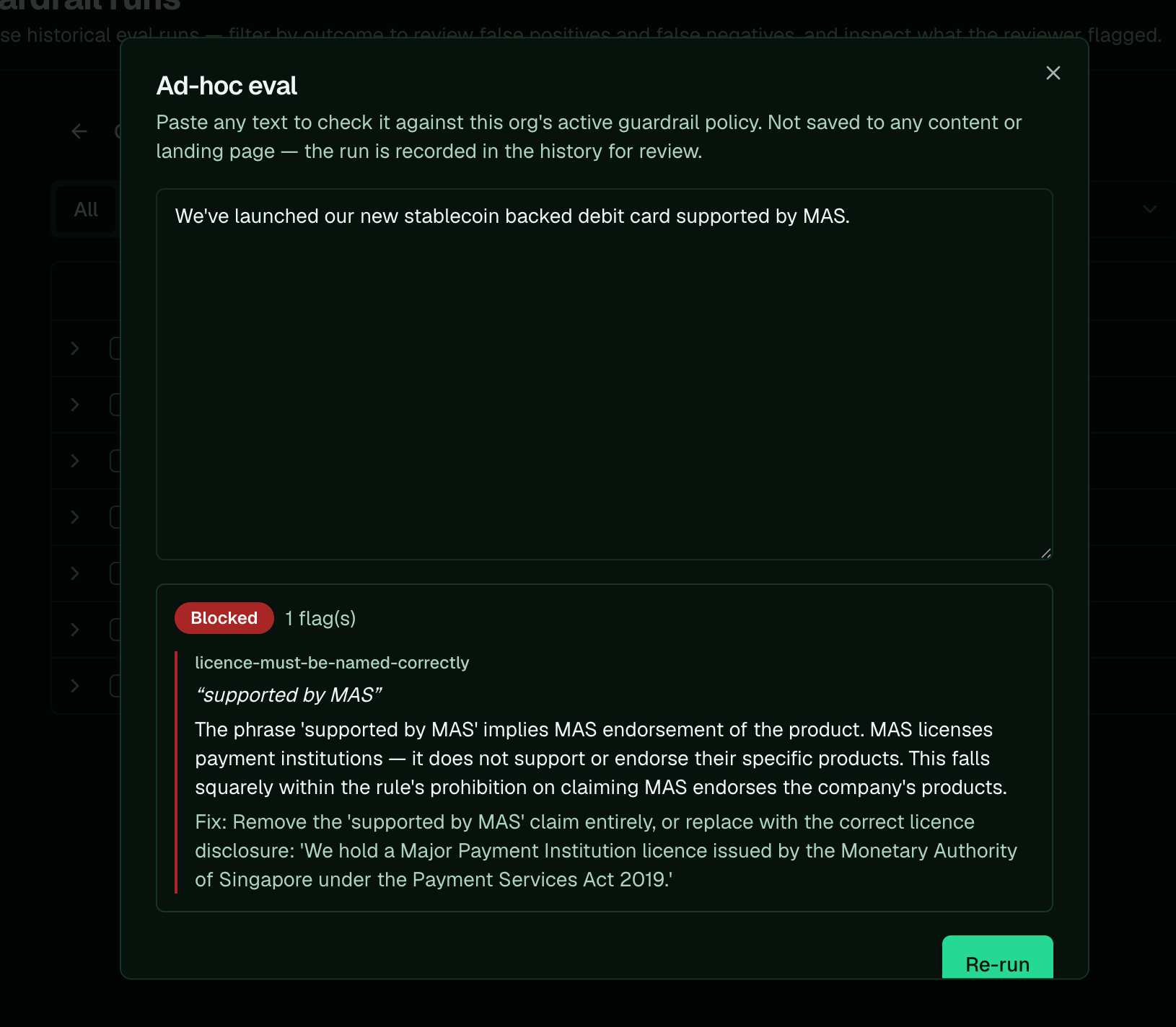
Ad-hoc eval, blocked: 'supported by MAS' trips the licence rule, with the reason and a suggested fix.
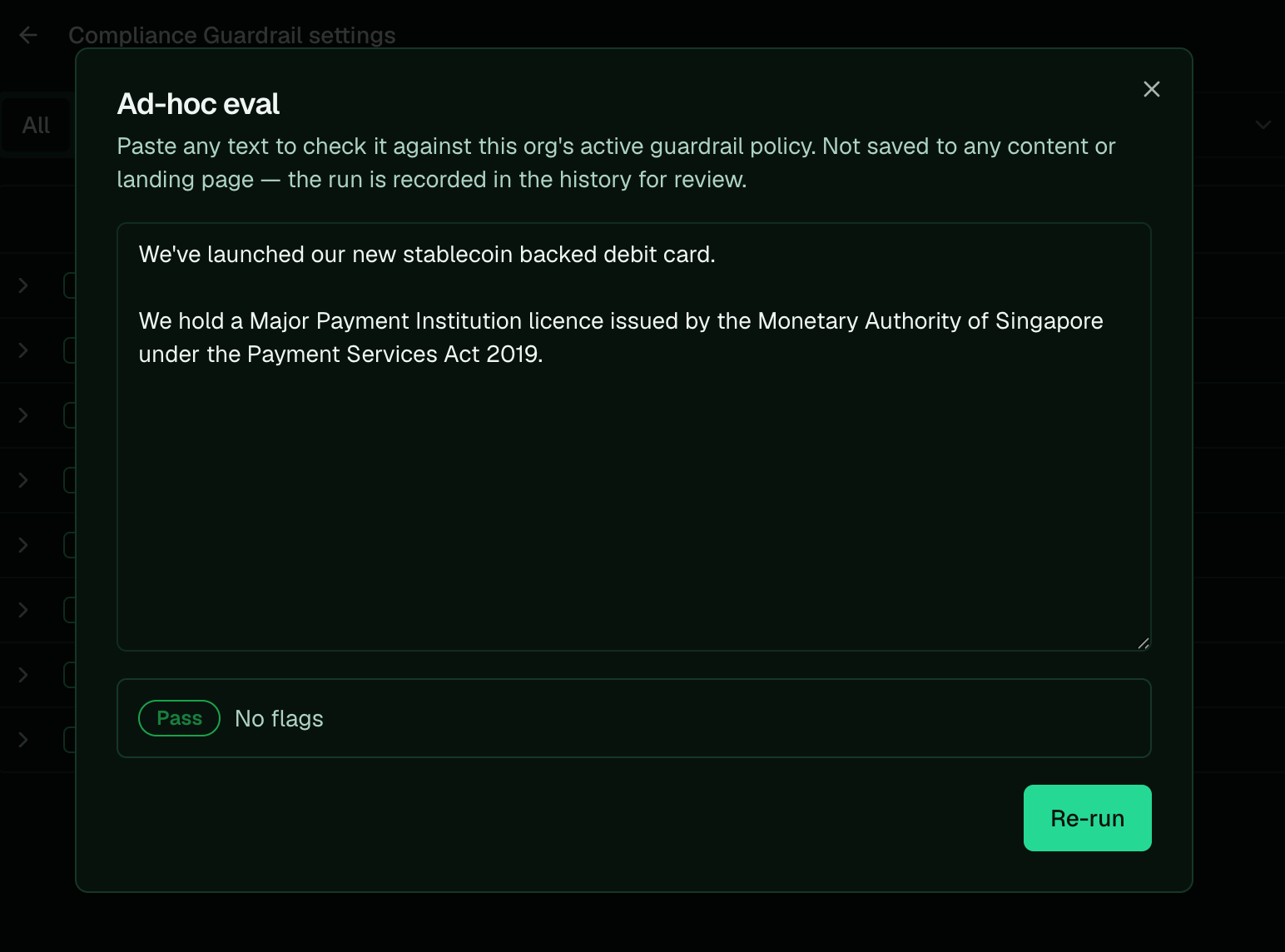
The same claim, corrected to a proper licence disclosure, passes with no flags.
Review past runs to spot false positives and negatives
Every check is saved. On the runs page, filter by outcome to find the two things worth fixing: a pass that should have failed, or a block that should have passed. Expand any run to see exactly what the judge flagged and the fix it suggested.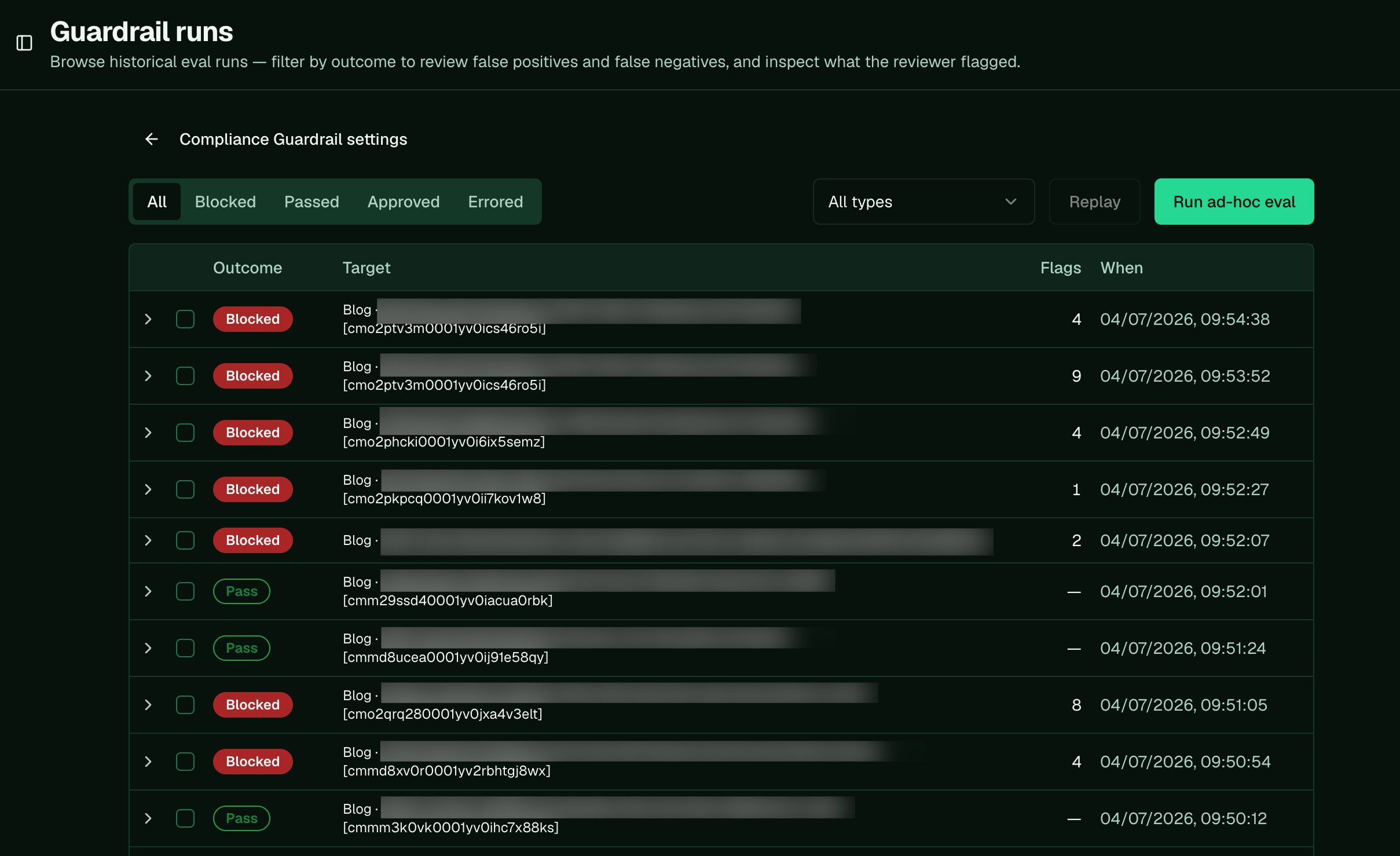
Guardrail runs: filter by outcome to review false positives and false negatives, and expand a run to see what was flagged.
Ask Pi to fix a wrongly-flagged rule
When you find content that was flagged wrong, hand Pi the exact example and tell it which way to move the rule, loosening or tightening it and adding the example so the fix sticks. A false positive is the guardrail flagging copy that’s actually fine. Tell Pi to loosen the rule and add the wrongly-flagged line as a passing example: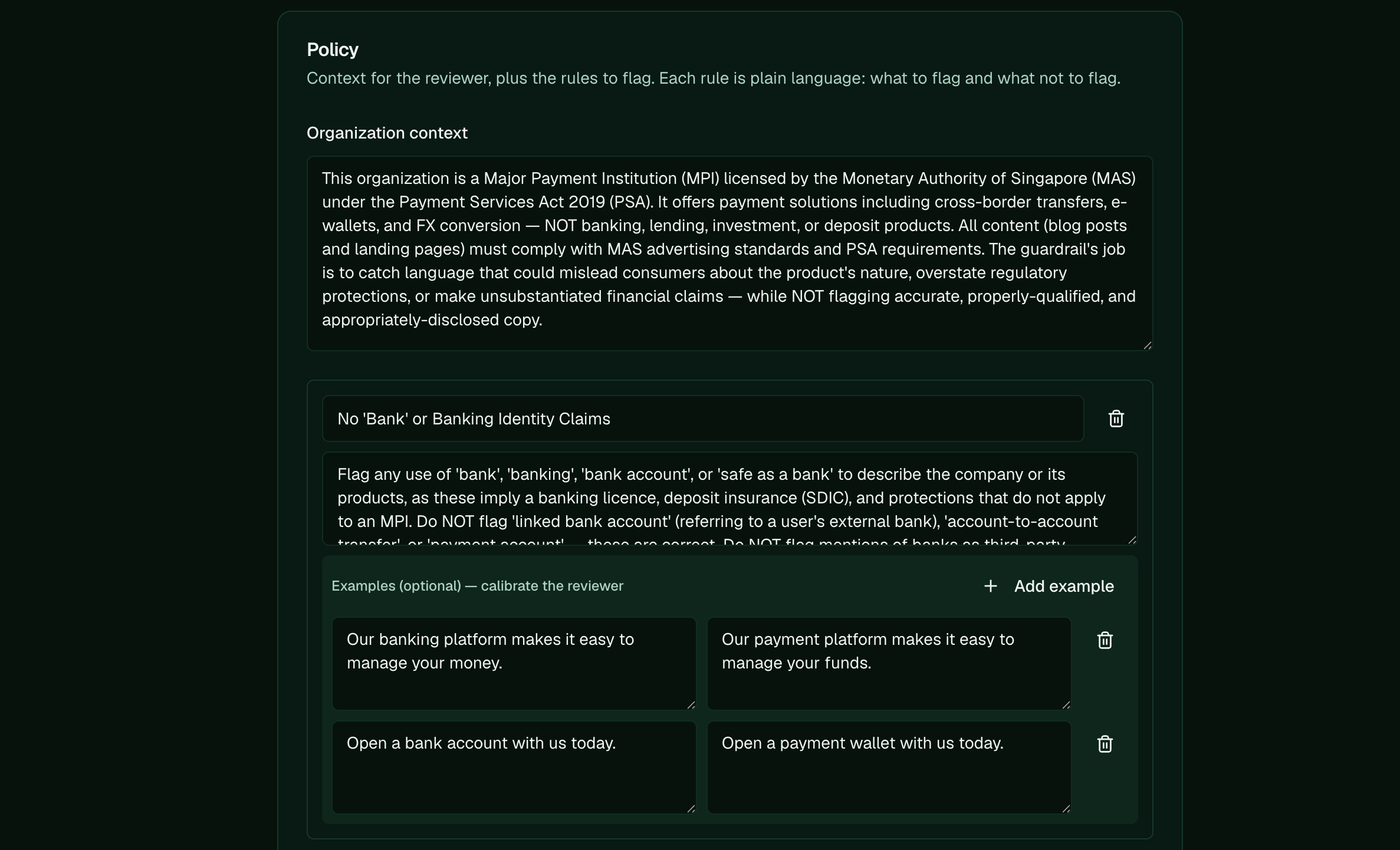
Each rule takes example pairs: the line on the left is what to flag, the corrected version on the right is what to let pass.