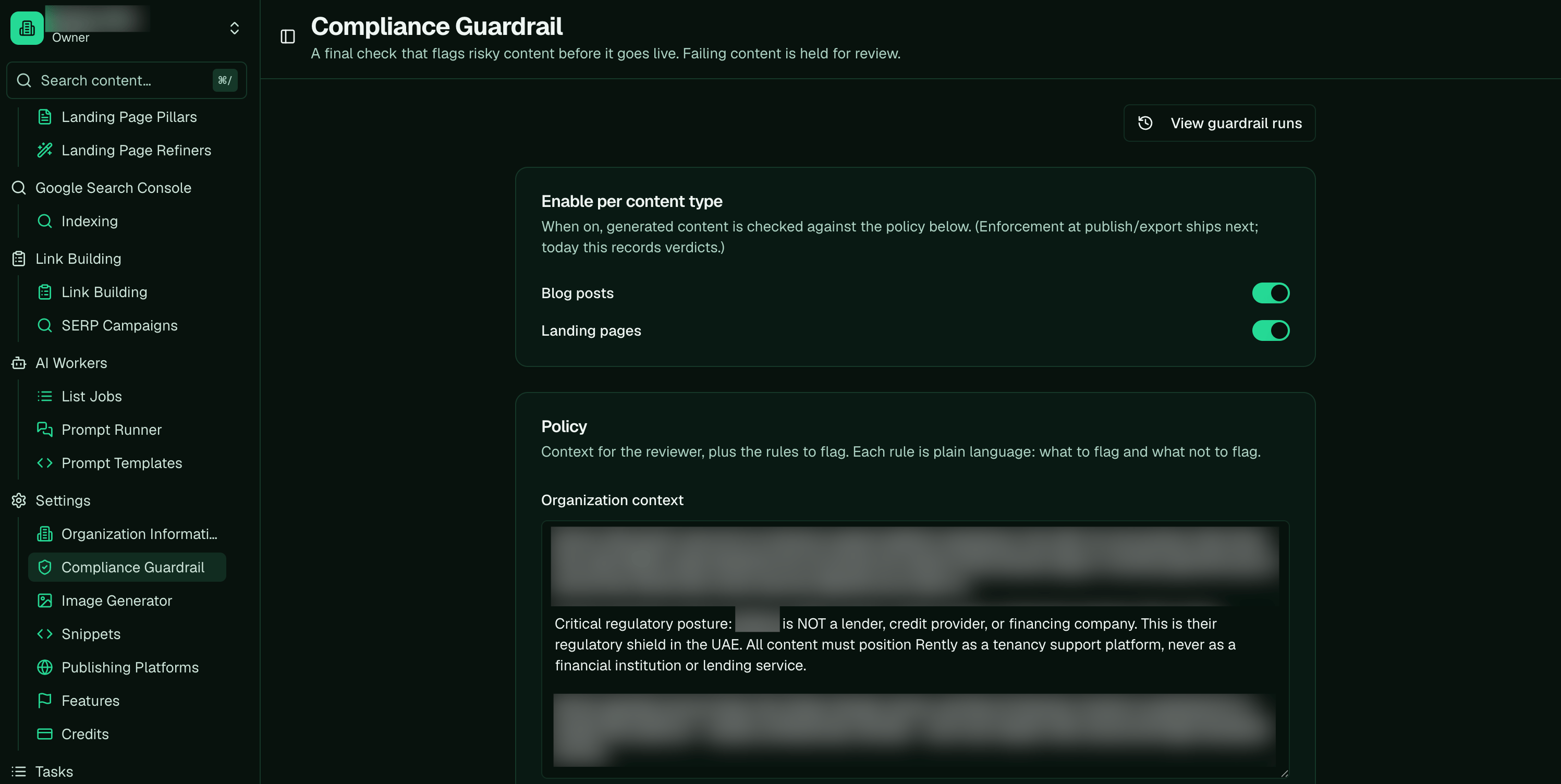
The Compliance Guardrail: switch it on per content type, and write the policy it checks against.
When you need it
If you’re in a regulated industry, or your marketing goes through legal review, you have claims you can’t make and language you’re required to include. That’s what the guardrail is for. Instead of a person checking every page against a do-not-say list, you encode the list once and the guardrail enforces it at publish, every time. Common cases:- Payments, crypto, or financial services: no guaranteed returns, no implied regulator endorsement, no absolute-safety claims.
- Health or wellness: no unsubstantiated medical claims, required disclaimers.
- Any business with legal sign-off on marketing: the constraints your counsel already gave you, encoded as rules.
Guardrail vs refiner
Two systems touch compliance and they do opposite jobs, so it’s worth knowing which is which. A refiner rewrites content: brand positioning, CTAs, or compliance edits, and the landing-page refiner applies schema-safe compliance edits across many pages at once. The guardrail doesn’t edit anything. It judges pass or fail and stops a non-compliant piece from shipping. They pair up: the guardrail catches a problem at publish, and its suggested fix feeds a one-click refiner edit. The full comparison is on Refiner vs guardrail.How it works, start to finish
- Write a policy: your compliance context plus a few atomic rules, each stating what to flag and what not to.
- Calibrate it: run it on copy you know should pass and copy you know should fail, and tighten the rules until it gets both right.
- Turn it on for blog posts, landing pages, or both. Nothing is gated until you do.
- It gates at publish: a breach blocks the publish and shows you the violations, so you fix them or approve the exact version.
How it blocks, and where you see it
When the guardrail is on for a content type, it runs the moment you publish. Content that passes goes straight through; content that fails is held, with the violations shown, so nothing off-limits ships by accident. You can approve a specific version to let it through, and editing a piece re-checks it. You see the result right on your content. Blog posts show a Guardrail status in the Content Library, and a blocked piece opens its violations with the exact excerpt and a suggested fix.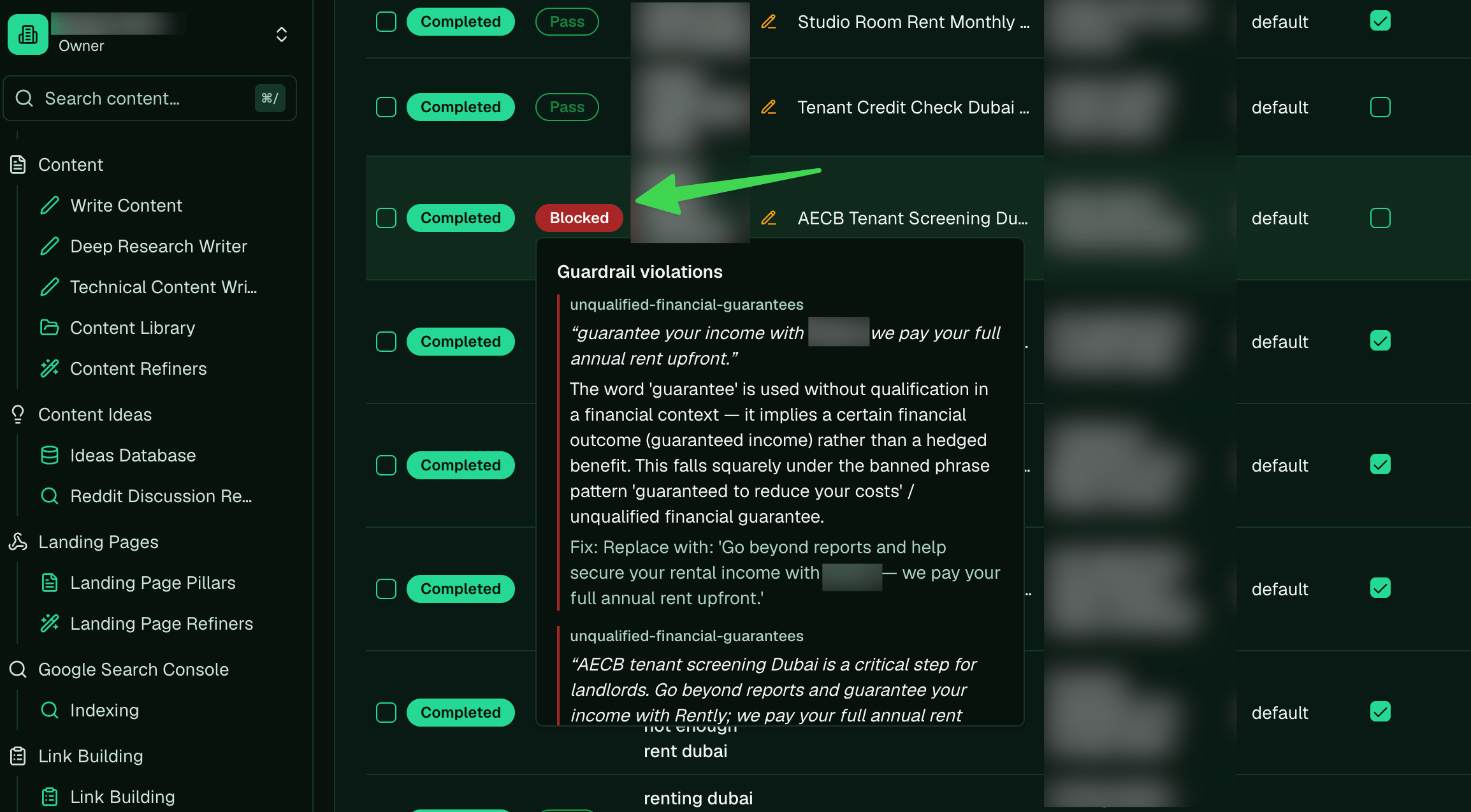
Each piece shows its guardrail status. A blocked piece opens its violations, with the exact excerpt and a suggested fix.
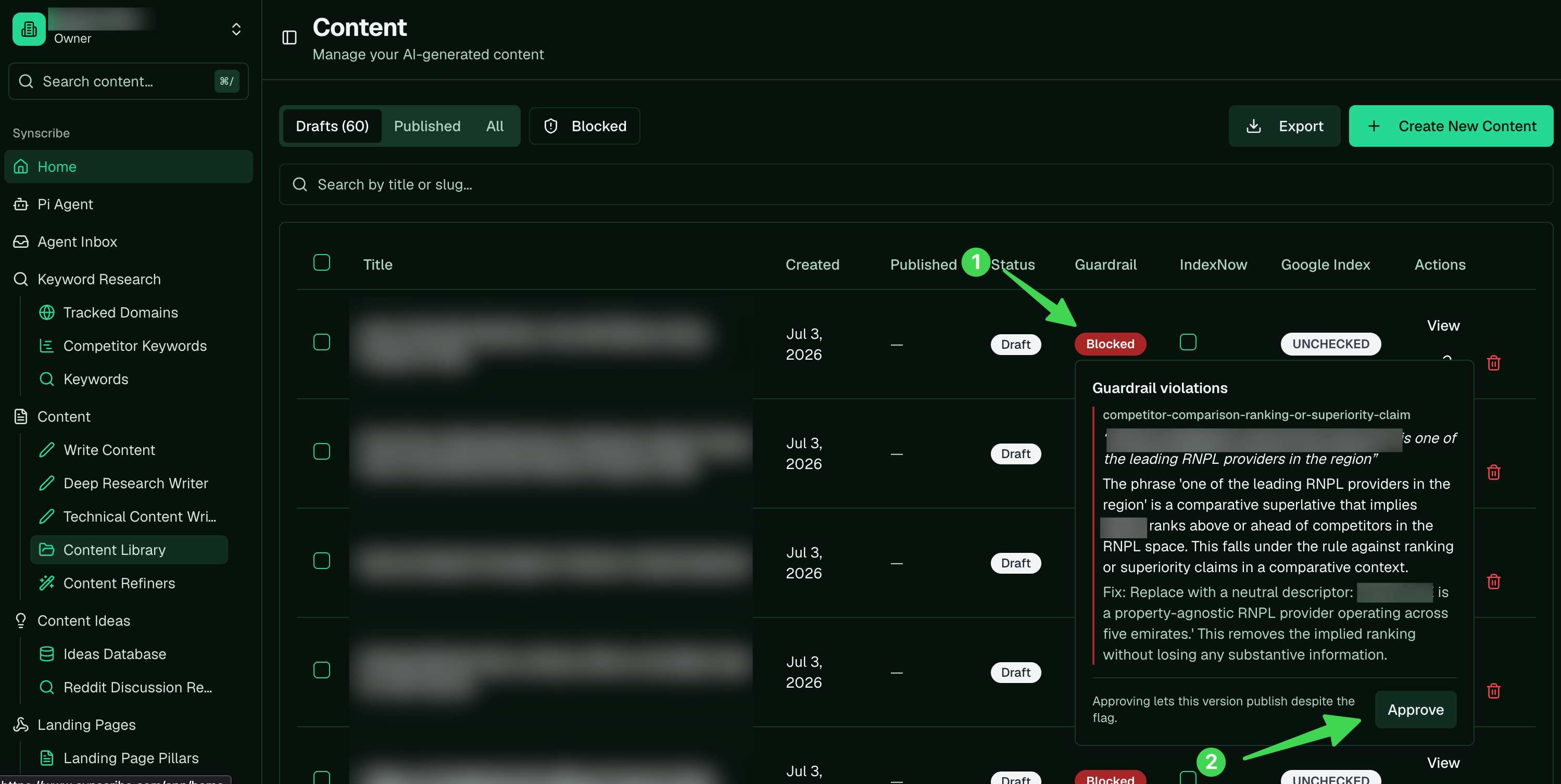
In the Content Library, a blocked piece shows the violation and a fix. Approve lets that exact version publish despite the flag.