Once you’ve done keyword research, turn those keywords into posts from the Keywords page. Select the keywords you want, hit Generate Ideas, and Synscribe reads the live search results for each one and proposes titles built to exploit the gaps it finds. Shortlist the ideas worth writing, then generate them; each lands in your Content Library and stays linked to its keyword, so you can track its ranking after you publish. Prefer to delegate? Ask Pi to pick your top keywords and generate the ideas for you.

Before you start

You need keywords in your account first. If you don’t have them yet, do keyword research and get them into your plan. This page picks up from a populated Keywords page.

1. Select keywords and generate ideas

Go to Keywords, under Keyword Research. Your keywords load in the Content Planning view. Tick the ones you want ideas for, then hit Generate Ideas. (Command-K, or Control-K, switches between the keyword views, including the blog-post-ideas planner and rank tracking.)
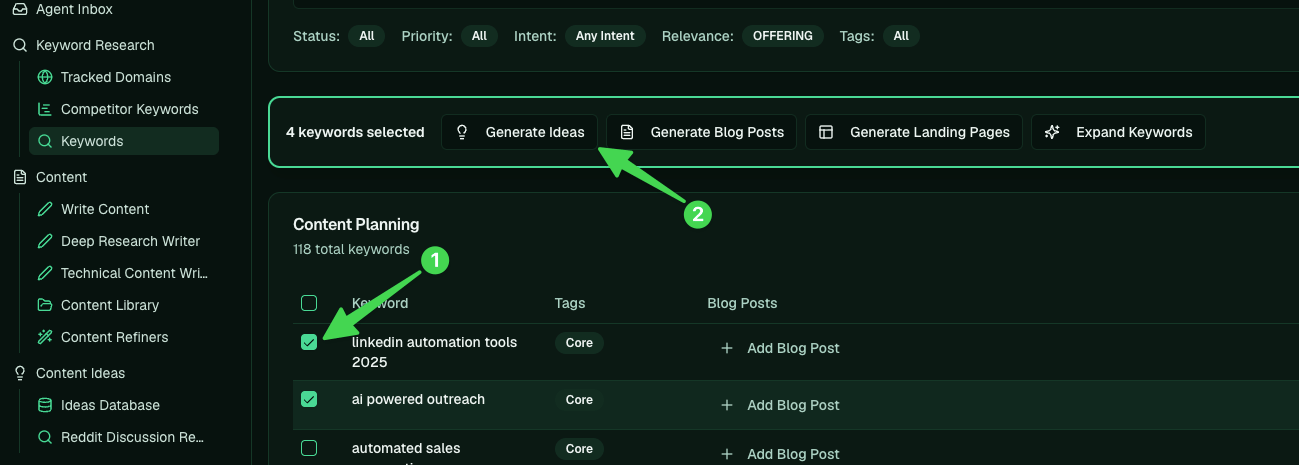
Selecting keywords in Content Planning and clicking Generate Ideas

2. What happens behind the scenes

For each keyword, the engine pulls the live search results, reads who ranks and why, and proposes titles designed to exploit the gaps. Every suggestion comes with its reasoning: the content gap it fills, the search intent behind the query, and why it should win.
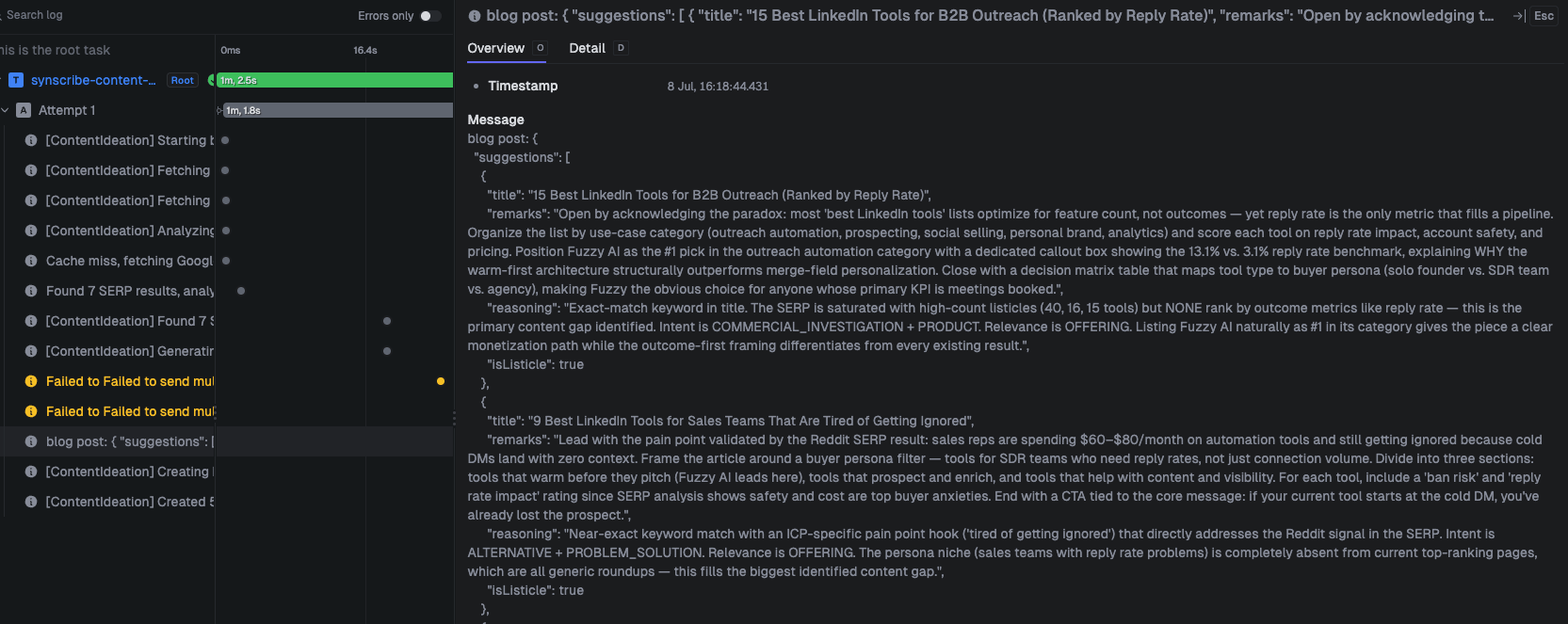
The engine analyzing the SERP and generating ideas with reasoning

3. Shortlist the ideas

The suggestions appear under each keyword. Keep the ones worth writing and cross out the rest to keep the list tidy. This is where you catch angles you might have missed, like a “best outreach agency” comparison when your buyer’s alternative is an agency rather than another tool.
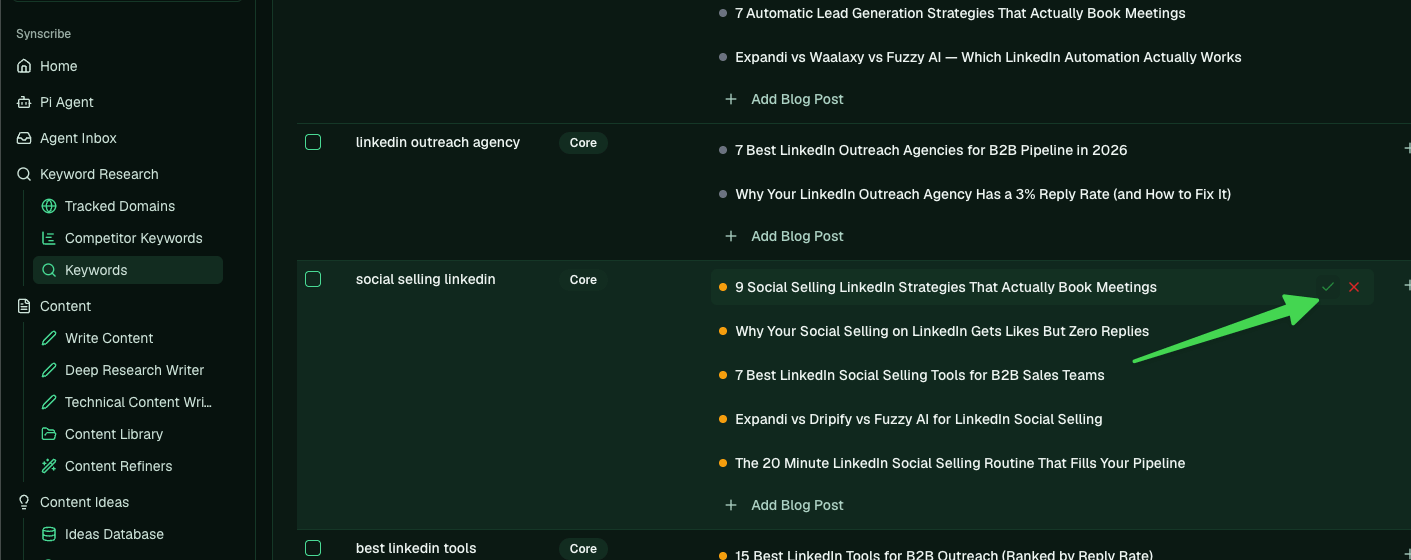
Keeping and rejecting generated ideas under a keyword

4. Write them

When the shortlist looks right, hit the generate (play) button on an idea to send it to be written.
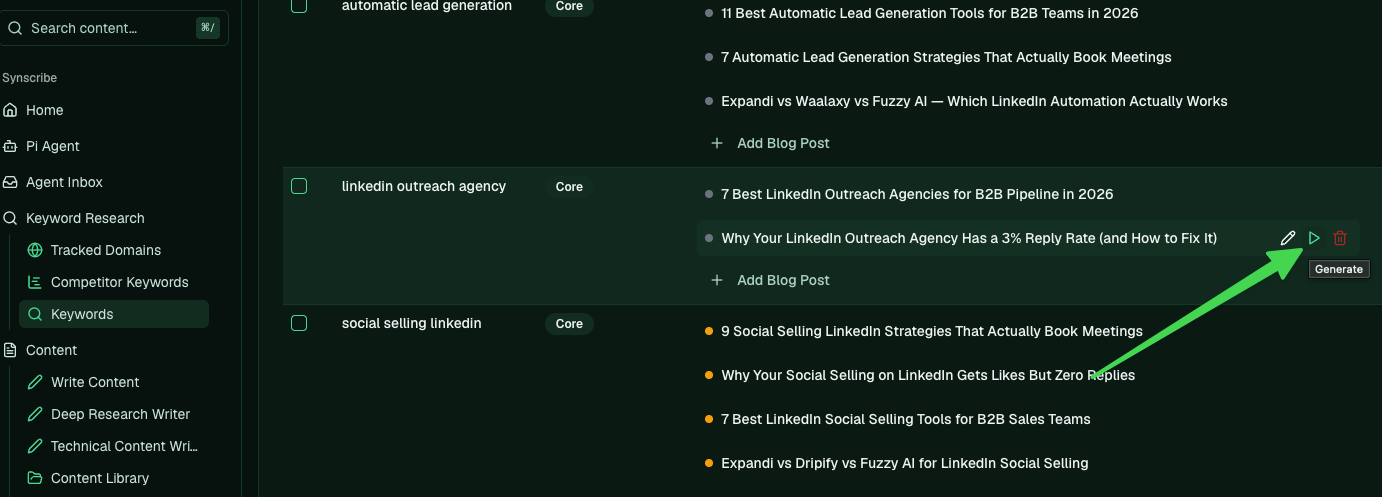
The generate button that sends an idea to be written
Once it’s written the idea turns blue; once published, green. The post stays linked to its keyword the whole way, so you always know which piece covers which term.

5. Track the ranking after you publish

Because each post is tied to its keyword, you can watch how it does. Switch to the Rank Tracking view (Command-K), select the page, and refresh to pull its current position.
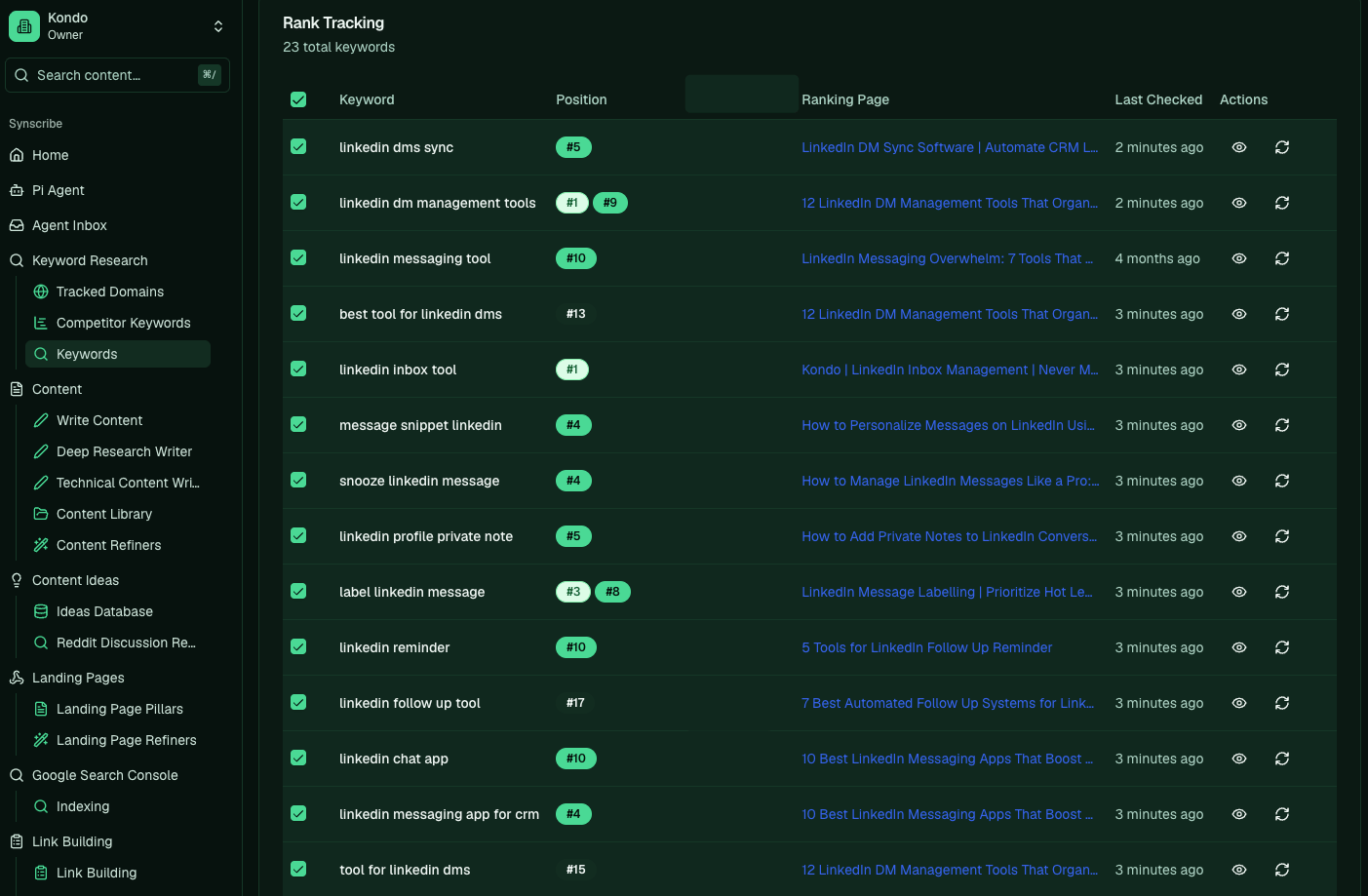
The Rank Tracking view with positions per keyword

Let Pi do it

Instead of clicking through, hand the loop to Pi. Ask it to pick the keywords worth writing:
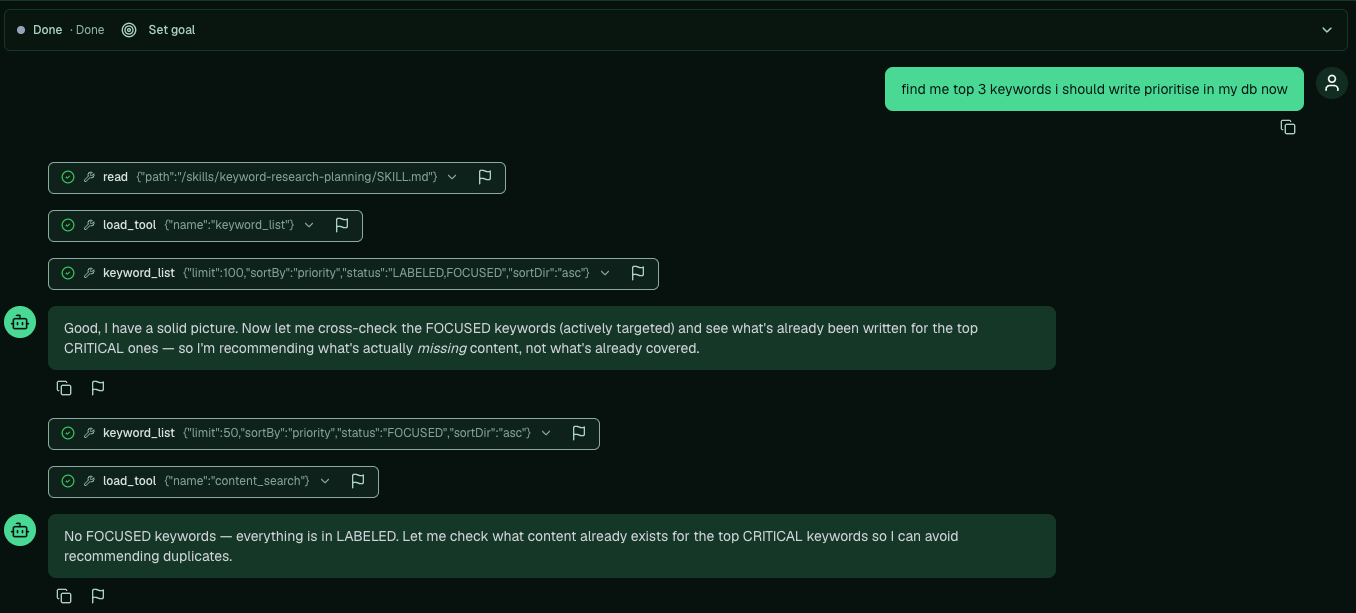
find me the top 3 keywords I should prioritise writing in my db now
Pi reads your keyword plan, cross-checks what’s already been written so it doesn’t recommend duplicates, and comes back with a shortlist.
Pi picking the top keywords to prioritise
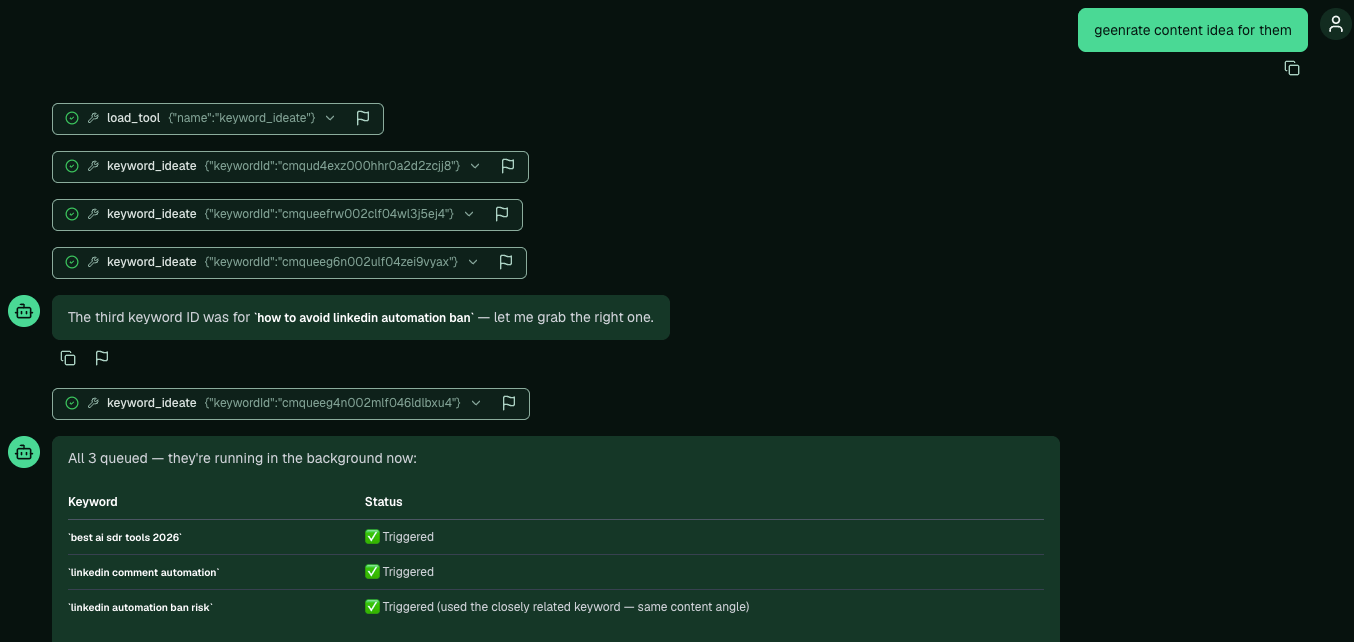
Then tell it to generate the ideas:
generate content ideas for them
Pi kicks off idea generation for each keyword in the background and reports back when they’re queued.
Pi generating ideas for the chosen keywords in the background
Back to: Creating blogs · Next: Edit an AI-generated article · Related: Find keyword opportunities · BOFU-first