1. Org info: tell Synscribe who you are
Your Organization Information is the top-level context every part of Synscribe reads: what you do, what you sell, and your regulatory posture. Make it accurate and specific. For a regulated business, spell out what you are and aren’t (for example, “a licensed payments institution, not a bank or lender”). This shapes how Pi writes and gives the guardrail the context to judge claims correctly.2. Product Bible: bound your claims
The Product Bible is Pi’s source of truth about your company, kept in its memory. Its Impact Claims section carries the rule “every number needs a source; never invent metrics,” and you flag up front what must not be claimed: specific metrics, customer names, positioning, or regulatory language that’s off-limits. That list becomes the input to every layer below.3. Landing-page pillar prompt: constrain what gets written
Bake non-hallucination hard rules into your pillar prompts: do not invent metrics, certifications, customer names, or capabilities. When you set up a pillar, Pi asks up front what must not be claimed and writes those constraints into the prompt, so generation never produces the forbidden claim to begin with.4. Refiners: auto-fix drafts before they’re judged
Refiners rewrite each draft to match your brand and compliance rules, at generation or on demand, so most issues are fixed before the guardrail ever sees the draft. Refiners run before the guardrail (see refiner vs guardrail).5. Evals: gate what’s left
The compliance guardrail is the backstop. At publish it judges the finished piece and blocks anything that still breaches a rule. Write its rules to encode exactly what your business can’t say, each with a carve-out so it doesn’t over-flag, then calibrate it on copy you know should pass and should fail.A worked example: a regulated fintech
Take a fictional licensed fintech that issues a regulated digital-payment token. Its guardrail rules might read:
Each rule pairs a sharp “flag” with a specific carve-out, so the judge blocks the marketing overreach
without tripping on the accurate, licensed facts the company is allowed to state. You don’t have to
write these by hand: hand Pi your requirements and it drafts the policy.
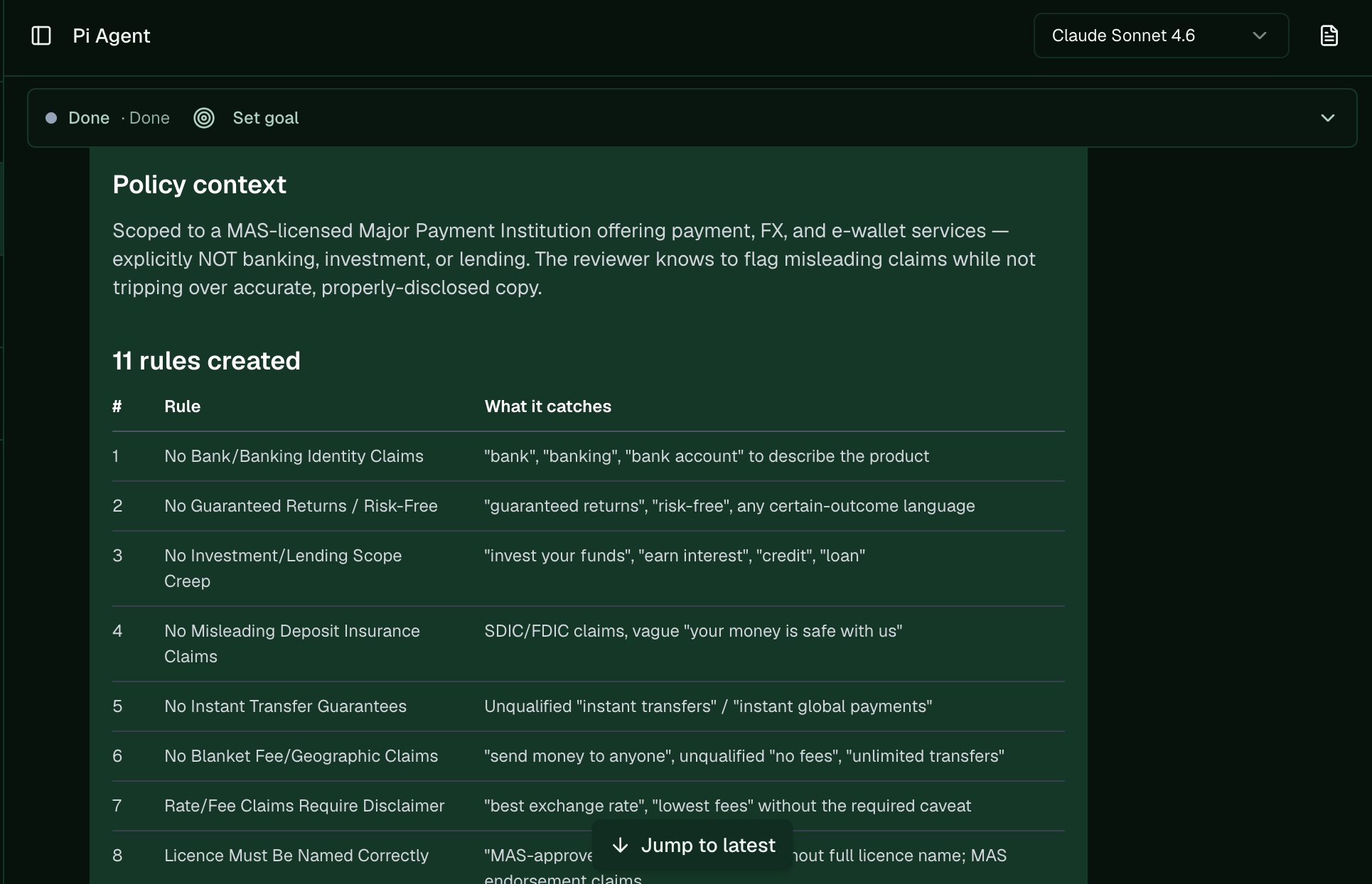
Pi built the context and a full rule set for a licensed payments company from its compliance requirements.