> ## Documentation Index
> Fetch the complete documentation index at: https://docs.synscribe.com/llms.txt
> Use this file to discover all available pages before exploring further.
# Pull the feature inventory for client sign-off
> How to pull the feature inventory from a landing-page pillar, fold it into the onboarding document, and get the client to sign it off.
The feature inventory is the list of product features the landing pages draw from, and it lives inside a landing-page pillar's **Prompt**. During onboarding you pull it, get Pi to fold it into the onboarding document, and send it to the client to verify before any pages go live. Run this once the pillar is set up, as part of the [Month-1 onboarding flow](/sops/onboarding-month-1).
## Pull it from the pillar
1. In the sidebar, open **Landing Pages**, then **Landing Page Pillars**.
2. Open the pillar (usually the `/uses` horizontal one) with the edit action.
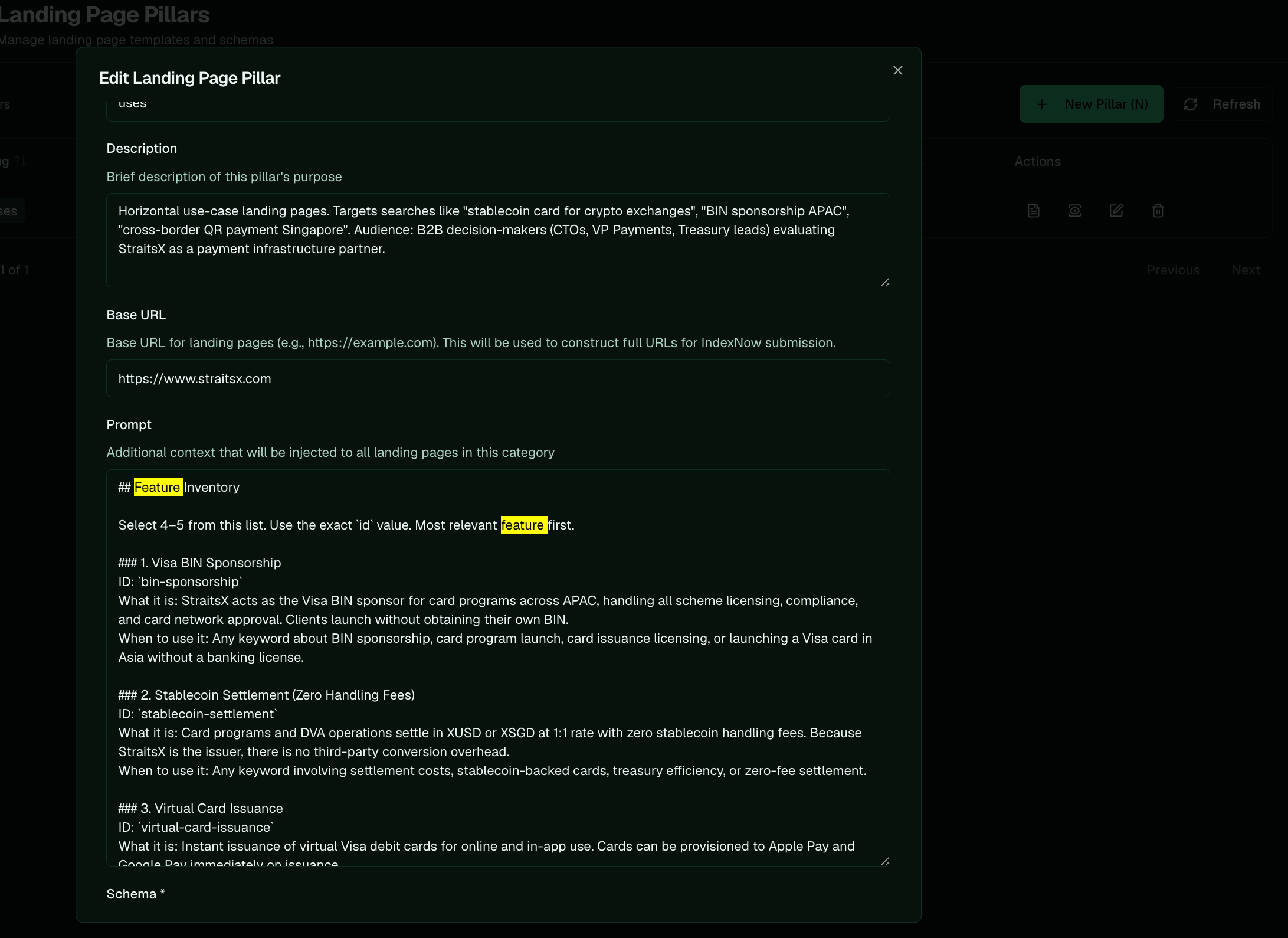
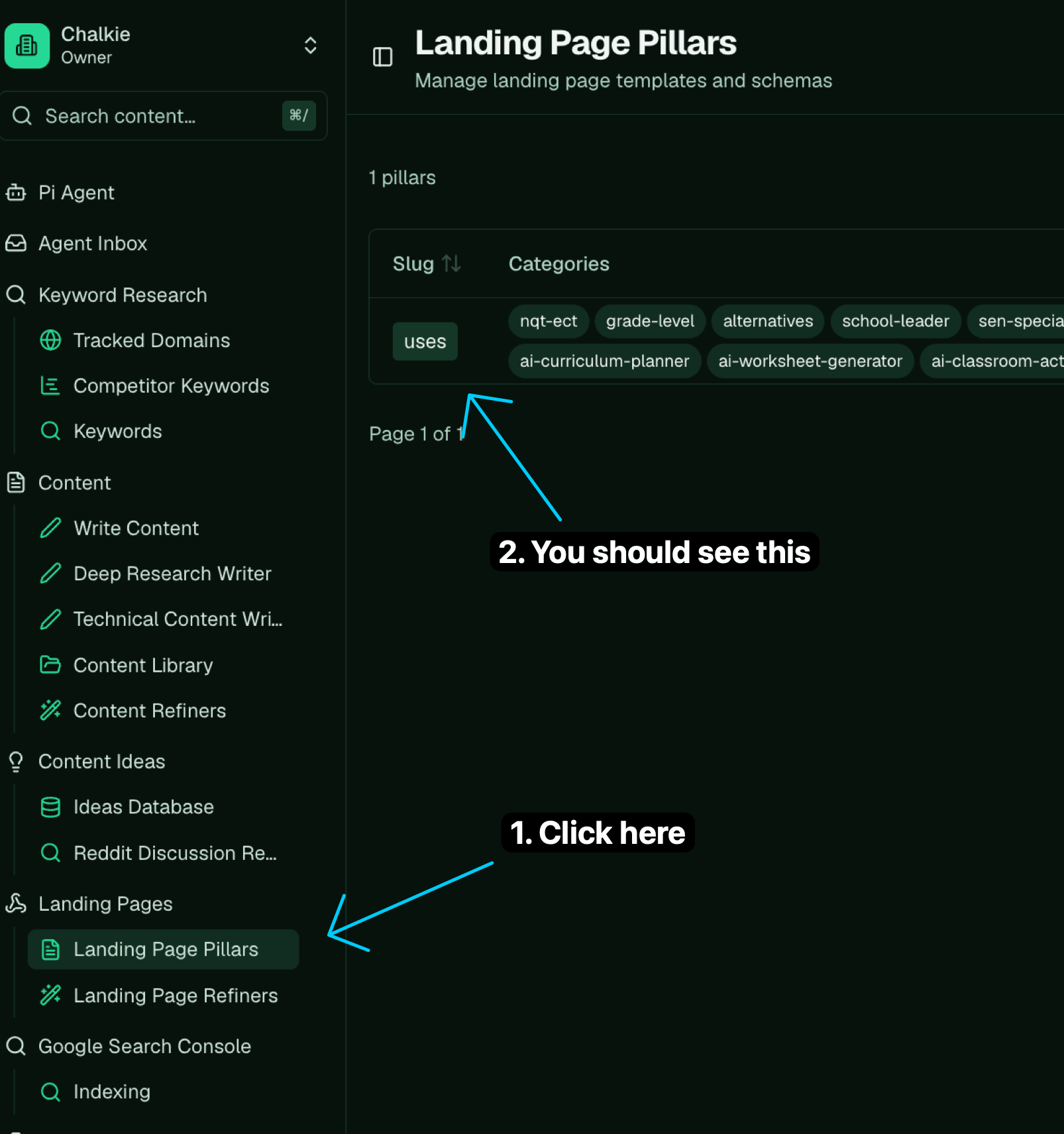 3. Scroll the **Prompt** field down to the `## Feature Inventory` heading and copy the whole list. Each entry has an `id`, a "what it is", and a "when to use it".
 ## Fold it into the onboarding document
Paste the list into Pi and have it add the inventory to the onboarding document:
```text theme={null}
we are missing the feature inventory for them to check [paste the copied feature inventory here]
```
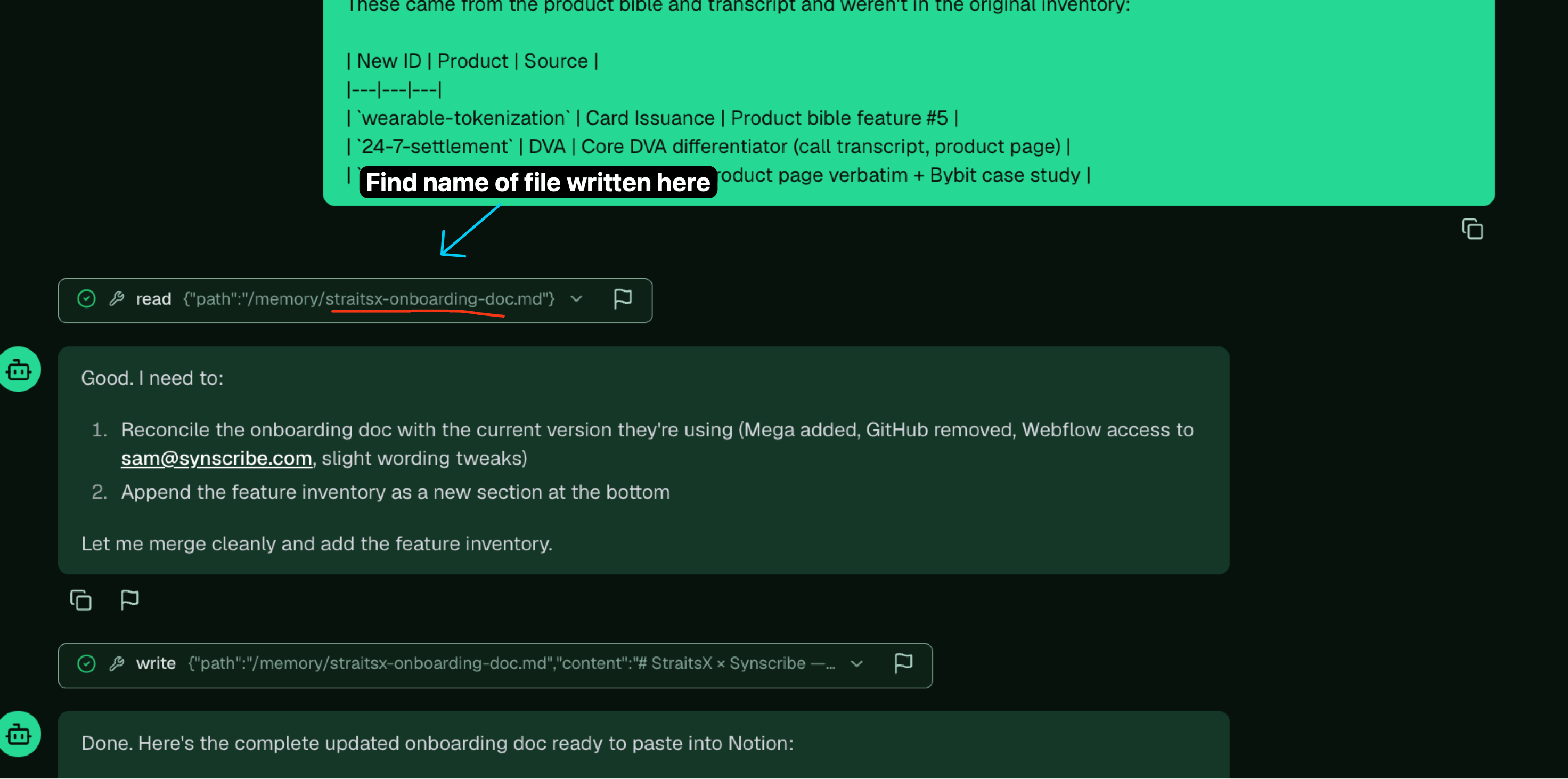
Then get the document out of Pi to review before the call. Press Cmd/Ctrl-K, search for the onboarding document, and open it.
## Fold it into the onboarding document
Paste the list into Pi and have it add the inventory to the onboarding document:
```text theme={null}
we are missing the feature inventory for them to check [paste the copied feature inventory here]
```
Then get the document out of Pi to review before the call. Press Cmd/Ctrl-K, search for the onboarding document, and open it.
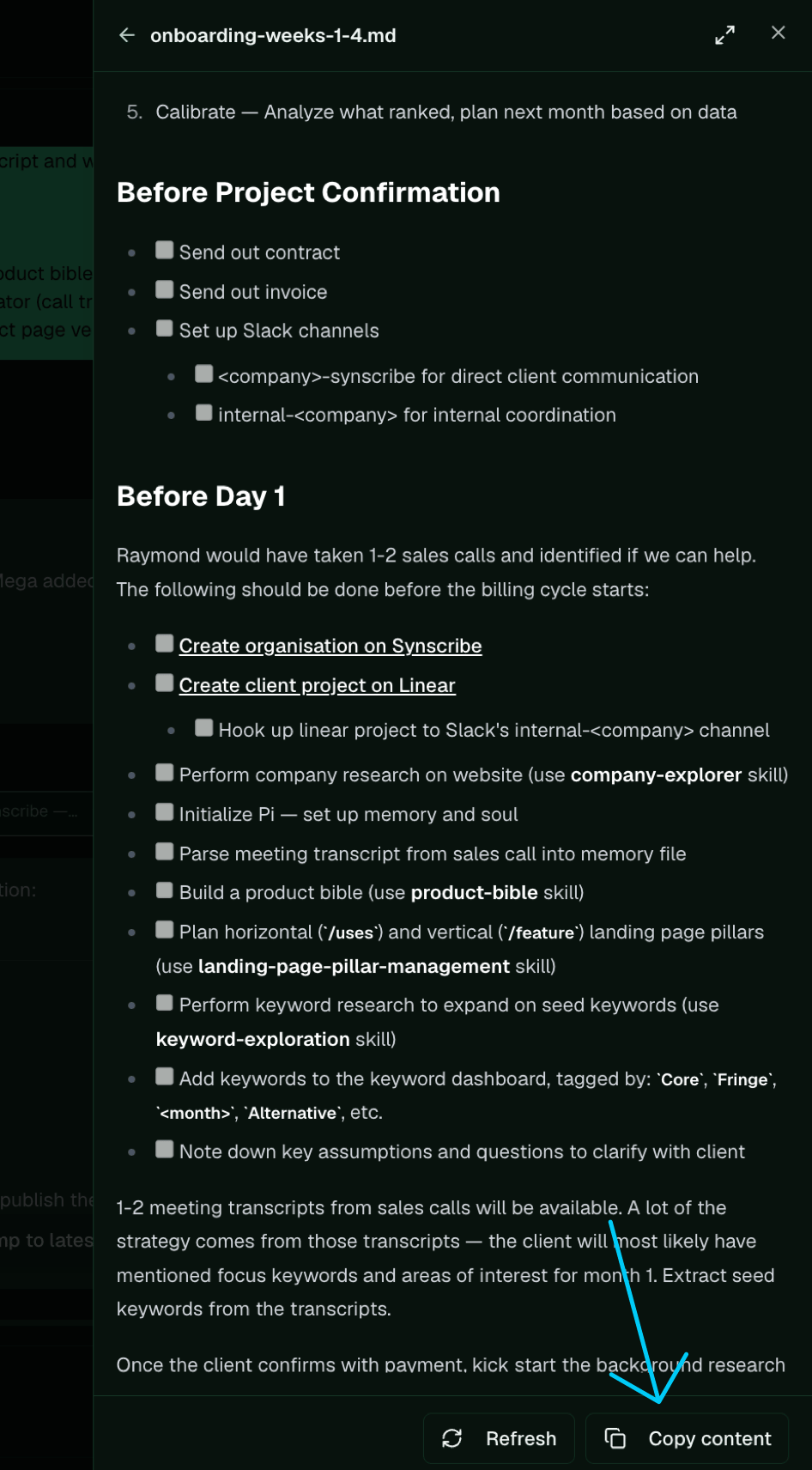
 Copy the content and paste it into Notion, so you can read through and edit it before the onboarding call.
 ## Get sign-off
* Send the document to the `internal-` Slack channel for Raymond to review, and revise on his feedback.
* After the onboarding call, share the document with the client with full edit access, so they can correct the feature inventory themselves.
* Keep the `id`s intact through the edits. Pages reference features by `id`, so a rename drops that feature from pages already using it.
The inventory is seeded from the [Product Bible](/platform/company-research-product-bible). When a feature is wrong at the source, fix the product bible and have Pi refresh the pillar's feature inventory, rather than patching the prompt by hand.
**Next:** [3.1 Month-1 onboarding](/sops/onboarding-month-1) · [2.3.1 Design a landing-page pillar](/platform/design-landing-page-pillar)
## Get sign-off
* Send the document to the `internal-` Slack channel for Raymond to review, and revise on his feedback.
* After the onboarding call, share the document with the client with full edit access, so they can correct the feature inventory themselves.
* Keep the `id`s intact through the edits. Pages reference features by `id`, so a rename drops that feature from pages already using it.
The inventory is seeded from the [Product Bible](/platform/company-research-product-bible). When a feature is wrong at the source, fix the product bible and have Pi refresh the pillar's feature inventory, rather than patching the prompt by hand.
**Next:** [3.1 Month-1 onboarding](/sops/onboarding-month-1) · [2.3.1 Design a landing-page pillar](/platform/design-landing-page-pillar)