> ## Documentation Index
> Fetch the complete documentation index at: https://docs.synscribe.com/llms.txt
> Use this file to discover all available pages before exploring further.
# How to set up the compliance guardrail
> Write a compliance policy — org context plus a few atomic rules — and turn it on per content type.
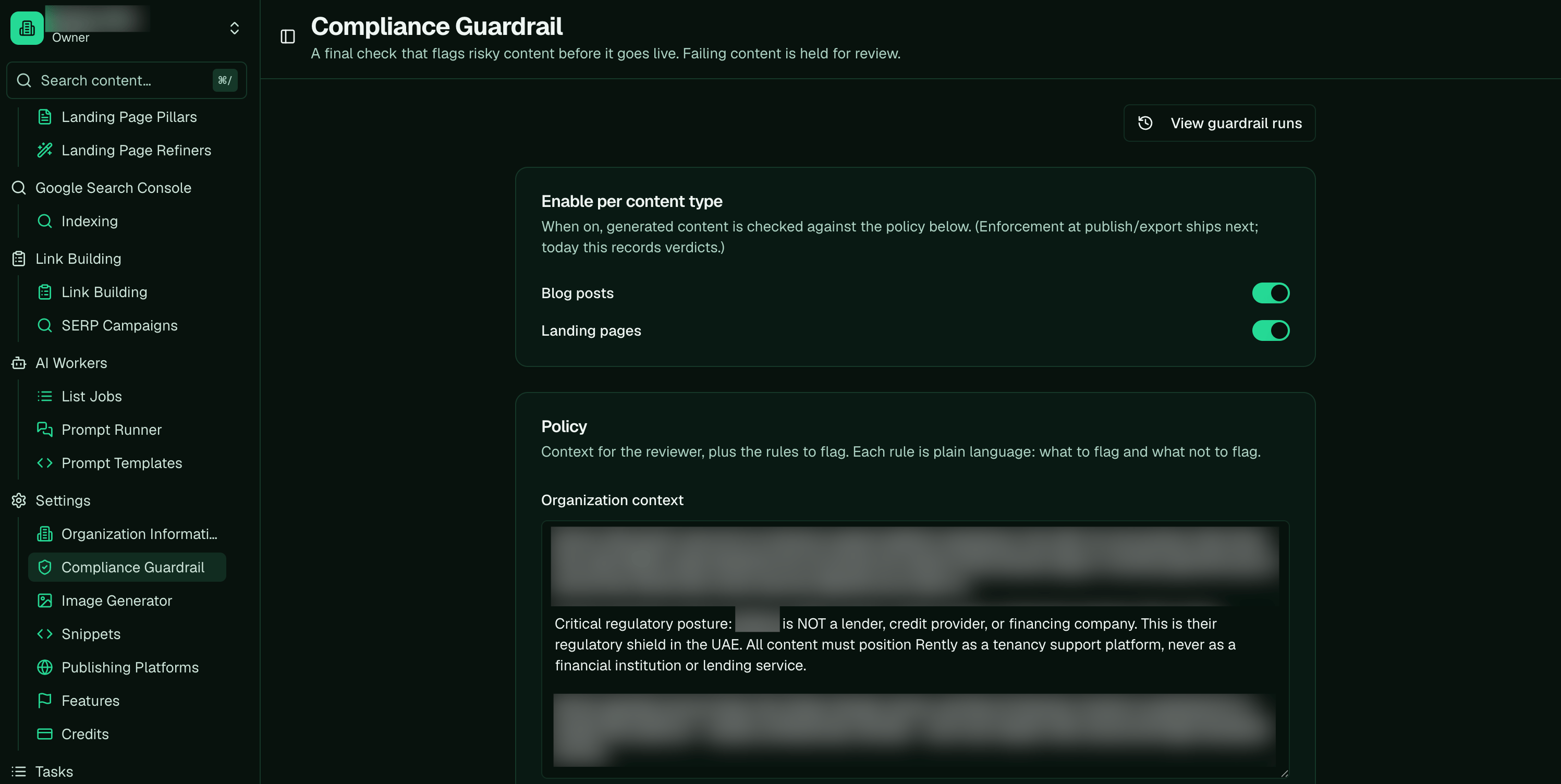
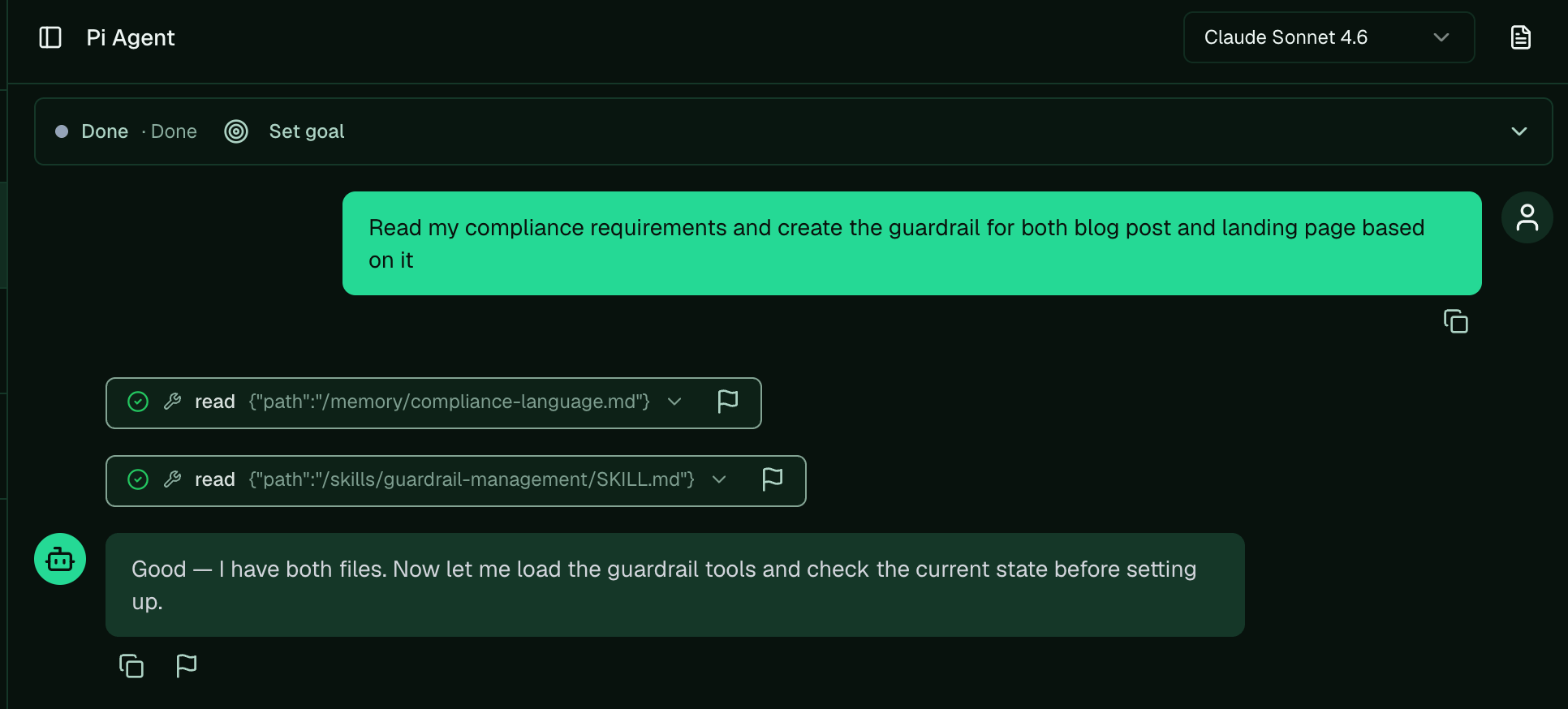
Set up the compliance guardrail on the [Compliance Guardrail page](https://www.synscribe.com/app/guardrail), or ask Pi to ingest a legal recommendation document and set up the guardrail.
A policy is your compliance context plus a handful of atomic
rules; each rule says what to flag and what *not* to flag. Turn it on per content type (blog and/or
landing pages). It's off by default, and once it's on it runs as a gate at publish. Then
[calibrate it](/platform/calibrate-evaluator) before you trust it.
 ## Steps
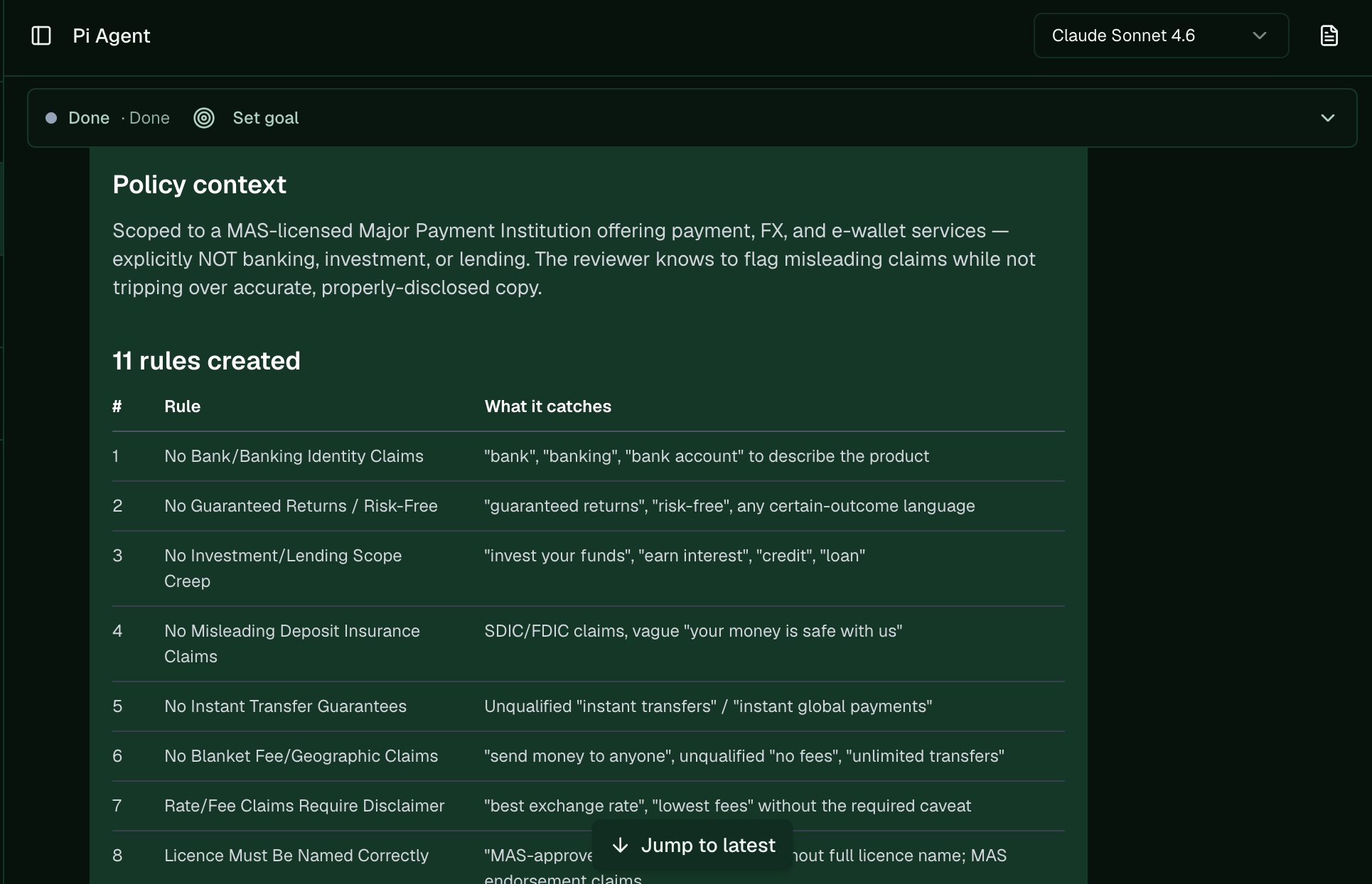
1. **Write the policy.** Give Pi your compliance context to break down into atomic rules. Each rule's
guidance must state both halves: what to flag, and the carve-out ("do NOT flag Y"). Add a
good/bad example pair where it sharpens the line.
2. **Toggle it on per content type.** Turn the guardrail on for blog posts, landing pages, or both.
It's opt-in per org and per content type, and off by default, so nothing is gated until you
switch it on.
3. **Know where the two pieces live.** The rules live in the policy; the on/off state is a separate
per-type toggle. There isn't one master "enable guardrail" switch — you set the policy once, then
flip the toggle for each content type you want gated.
## Ask Pi
```text theme={null}
set up the compliance guardrail for my company. context: [what we do and what we're regulated on].
then turn it on for landing pages.
```
Pi writes the policy, adds the rules, and sets the toggle, then you [calibrate](/platform/calibrate-evaluator).
## Steps
1. **Write the policy.** Give Pi your compliance context to break down into atomic rules. Each rule's
guidance must state both halves: what to flag, and the carve-out ("do NOT flag Y"). Add a
good/bad example pair where it sharpens the line.
2. **Toggle it on per content type.** Turn the guardrail on for blog posts, landing pages, or both.
It's opt-in per org and per content type, and off by default, so nothing is gated until you
switch it on.
3. **Know where the two pieces live.** The rules live in the policy; the on/off state is a separate
per-type toggle. There isn't one master "enable guardrail" switch — you set the policy once, then
flip the toggle for each content type you want gated.
## Ask Pi
```text theme={null}
set up the compliance guardrail for my company. context: [what we do and what we're regulated on].
then turn it on for landing pages.
```
Pi writes the policy, adds the rules, and sets the toggle, then you [calibrate](/platform/calibrate-evaluator).
 ## Write good rules
A rule is only as good as its carve-out. "Flag any performance claim" over-flags; "flag performance
claims stated as guarantees, but do NOT flag factual past results with a cited source" gives the
judge a clean line. Keep rules atomic (one idea each) and few — a tight set of 3–8 beats a sprawling
one. See [how the guardrail decides](/platform/how-evaluator-decides) for why the policy *is* the
prompt.
> 🎬 **Video planned:** write a compliance policy for your company and turn it on. See the shot-list.
**Next:** [Calibrate the guardrail](/platform/calibrate-evaluator) · **Related:** [Refiner vs guardrail](/platform/refiner-vs-evaluator) · [Automate compliance checks](/platform/automate-compliance-checks) · [Compliance & QC setup](/platform/compliant-content-regulated-industry)
## Write good rules
A rule is only as good as its carve-out. "Flag any performance claim" over-flags; "flag performance
claims stated as guarantees, but do NOT flag factual past results with a cited source" gives the
judge a clean line. Keep rules atomic (one idea each) and few — a tight set of 3–8 beats a sprawling
one. See [how the guardrail decides](/platform/how-evaluator-decides) for why the policy *is* the
prompt.
> 🎬 **Video planned:** write a compliance policy for your company and turn it on. See the shot-list.
**Next:** [Calibrate the guardrail](/platform/calibrate-evaluator) · **Related:** [Refiner vs guardrail](/platform/refiner-vs-evaluator) · [Automate compliance checks](/platform/automate-compliance-checks) · [Compliance & QC setup](/platform/compliant-content-regulated-industry)