> ## Documentation Index
> Fetch the complete documentation index at: https://docs.synscribe.com/llms.txt
> Use this file to discover all available pages before exploring further.
# How to get your blog post indexed on Google fast
> The fastest way to get a new page on Google (usually 12–24h): URL Inspection in Search Console, then Request Indexing.
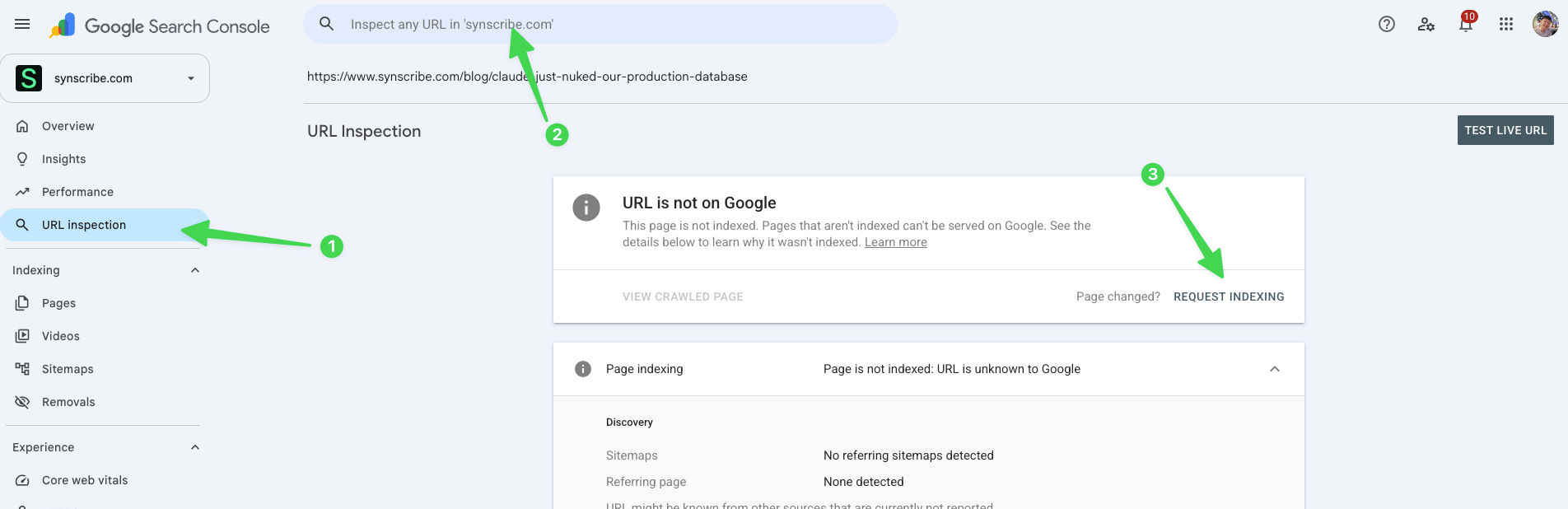
You've published a post and want it on Google. The fastest way to get it indexed, usually within 12 to 24 hours, is to request it by hand in Google Search Console. Copy the page's URL, open URL Inspection in the right property, paste it in, and when it says "URL is not on Google", click Request Indexing. That pushes your page to the front of the crawl queue. There's no way to automate Google indexing today, so this manual request is as fast as it gets.
## Request indexing
1. Copy the URL of your published post.
2. Open [Google Search Console](/platform/connect-gsc) and make sure you're in the right property.
3. Click URL Inspection, or paste the URL into the "Inspect any URL" bar at the top.
4. When it reads "URL is not on Google", click Request Indexing. That prioritizes your page in front of the crawler, telling it to crawl this one first.
 ## How often you can do it
Requesting indexing draws on a daily crawl budget, so there's a ceiling:
* A fresh, new site: about 3 to 5 times a day.
* A more mature site: up to 10 to 20 times a day.
Index your most important pages first and work through the rest over the following days.
## Check it landed
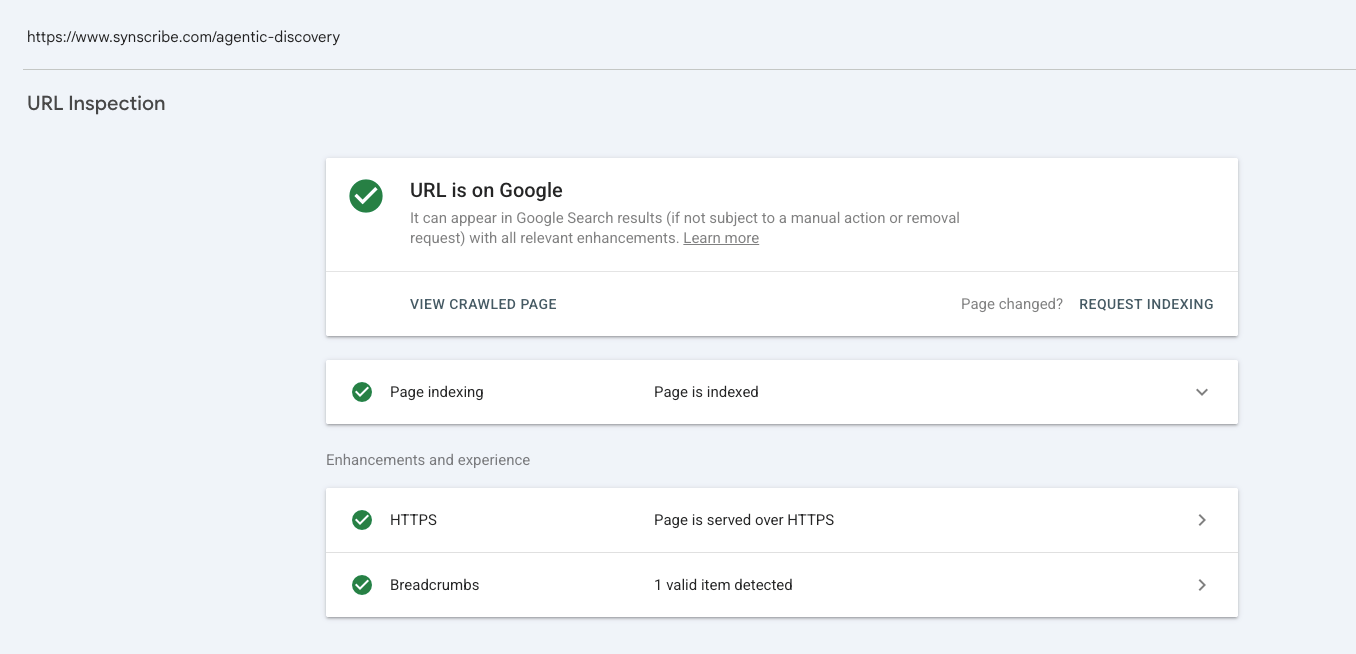
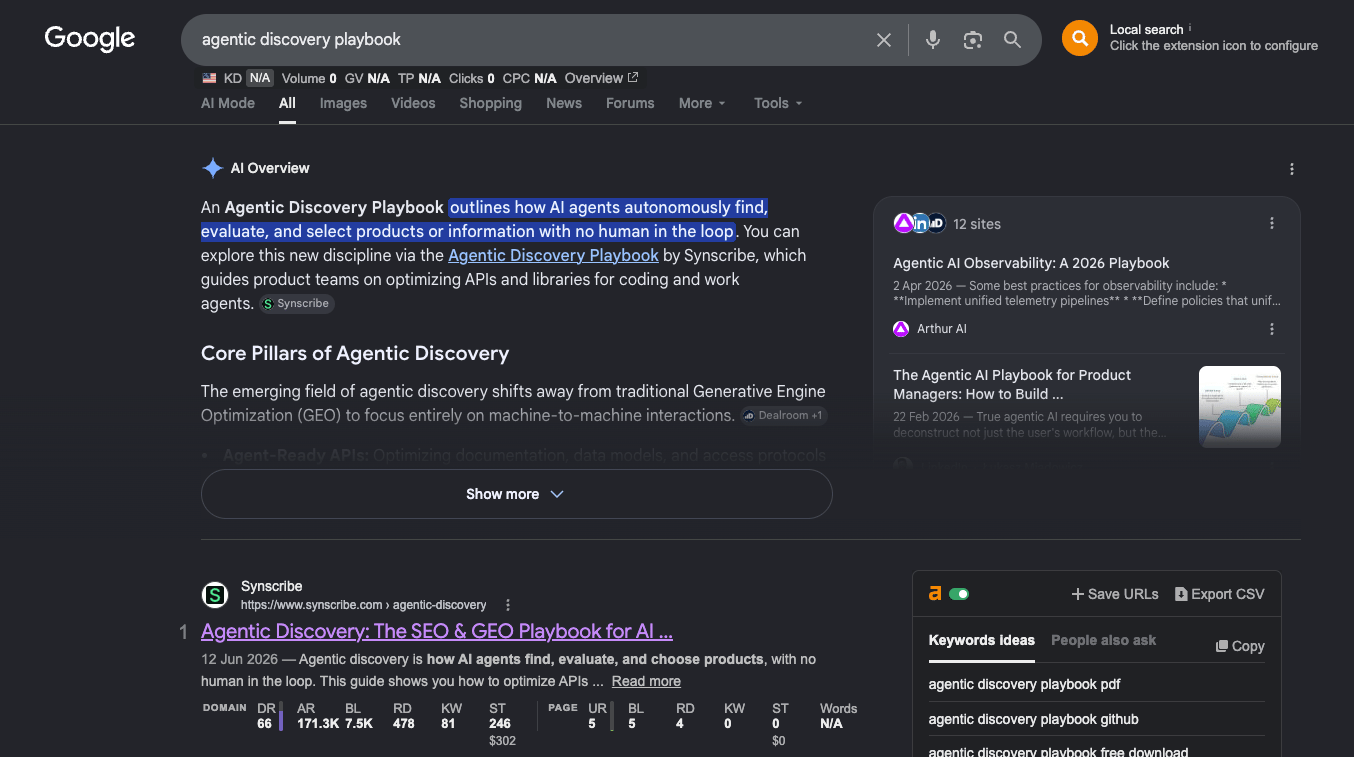
The next day, search Google for the post by its title or target keyword and see if it shows up. Or inspect the URL again: an indexed page reads "URL is on Google" with "Page is indexed".
## How often you can do it
Requesting indexing draws on a daily crawl budget, so there's a ceiling:
* A fresh, new site: about 3 to 5 times a day.
* A more mature site: up to 10 to 20 times a day.
Index your most important pages first and work through the rest over the following days.
## Check it landed
The next day, search Google for the post by its title or target keyword and see if it shows up. Or inspect the URL again: an indexed page reads "URL is on Google" with "Page is indexed".
 Once a page is already on Google, don't keep hitting Request Indexing. Only re-request if the page has actually changed; otherwise you're just burning crawl budget.
## Other search engines
Google has no automatic indexing, which is why the manual request above is the fastest route. For Bing, Yahoo, and Yandex, you can automate it with [IndexNow](/platform/publishing-platform-indexnow). Submitting your sitemap is the slower, hands-off path, covered alongside the [technical SEO audit](/platform/technical-seo-audit).
**Back to:** [Publish your blog](/platform/publish-your-blog) · **Related:** [Connect Google Search Console](/platform/connect-gsc) · [Technical SEO audit](/platform/technical-seo-audit)
Once a page is already on Google, don't keep hitting Request Indexing. Only re-request if the page has actually changed; otherwise you're just burning crawl budget.
## Other search engines
Google has no automatic indexing, which is why the manual request above is the fastest route. For Bing, Yahoo, and Yandex, you can automate it with [IndexNow](/platform/publishing-platform-indexnow). Submitting your sitemap is the slower, hands-off path, covered alongside the [technical SEO audit](/platform/technical-seo-audit).
**Back to:** [Publish your blog](/platform/publish-your-blog) · **Related:** [Connect Google Search Console](/platform/connect-gsc) · [Technical SEO audit](/platform/technical-seo-audit)