> ## Documentation Index
> Fetch the complete documentation index at: https://docs.synscribe.com/llms.txt
> Use this file to discover all available pages before exploring further.
# How to drive Pi Agent well
> Hand Pi whole tasks, tell it to check its plan before acting, and clear its blocks in the Agent Inbox.
Treat Pi like a capable colleague: hand it a whole task with a concrete outcome, and end your prompt
with "before you start any actions, check with me" so it proposes a plan before doing anything
irreversible. Watch the live task tree, and clear anything it's blocked on in the Agent Inbox (a task
that looks stuck is usually waiting for you there). Ground it in your own material (your Product
Bible, your company info) rather than starting from keywords, and flag bad answers with the in-chat
feedback flag. Then [file its work to Pi's memory](/platform/filing-in-the-vfs) so later chats
inherit it.
## Be specific about the outcome
Weak: *"improve the article."* Strong: *"rewrite the intro to lead with the customer's pain, and add
an FAQ from the People-Also-Ask questions."* Pi does better with a concrete target than a vibe.
## Ask it to check before it acts
This is the habit that pays off most. Tell Pi to confirm its plan before it makes changes. A prompt
worth ending with:
```text theme={null}
before you start any actions, check with me to see if your strategy is sound
```
That keeps you in control of anything irreversible, like retagging keywords, switching pages, or
publishing. Pi proposes, you approve, then it executes.
## Watch the task tree, expect it to pause
Pi shows a live tree of what it's doing (research, sub-agents, tool calls). You don't need to babysit
it, just glance at it. For risky or ambiguous steps, Pi stops and puts an item in the Agent Inbox.
Sometimes that's an approval ("OK to publish or delete this?") for you to accept or reject, and
sometimes it's a question ("which of these three angles do you want?") for you to answer.
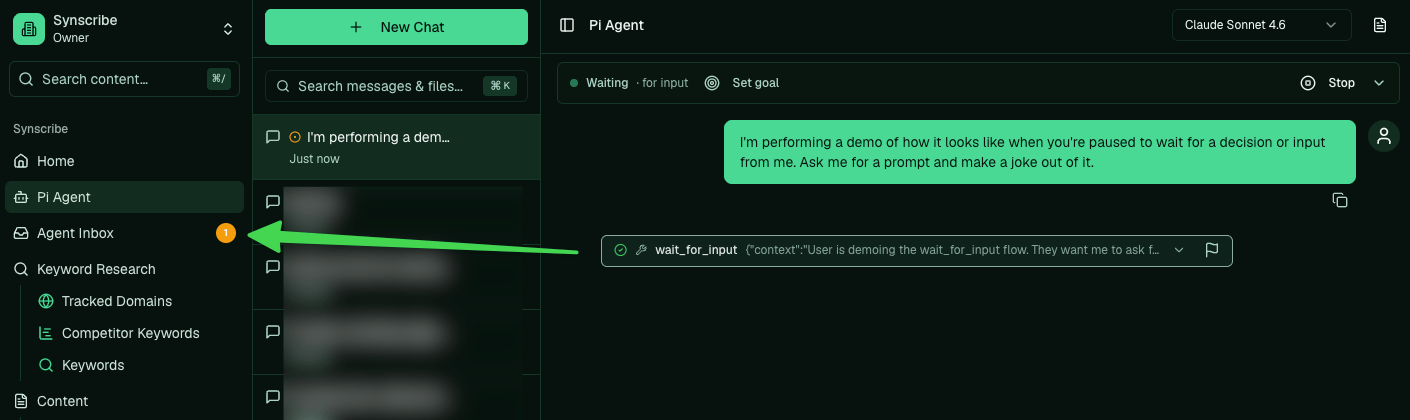 > A Pi task that seems stuck is almost always waiting for you in the Agent Inbox. Watch the unread
> badge.
> A Pi task that seems stuck is almost always waiting for you in the Agent Inbox. Watch the unread
> badge.
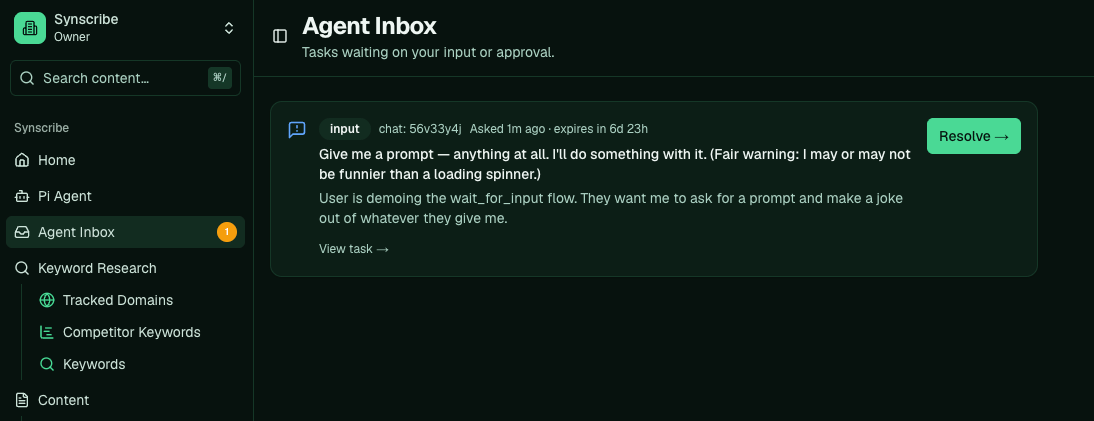 Read what it's asking before you approve, especially anything that publishes or deletes.
## Ground it in your own context
You'll get better output by pointing Pi at your own material first: your Product Bible, your company
info, and your latest notes, rather than starting from keywords. Start from who you sell to, not the
keywords. See [How to research your company and build the Product Bible](/platform/company-research-product-bible).
## Flag bad answers
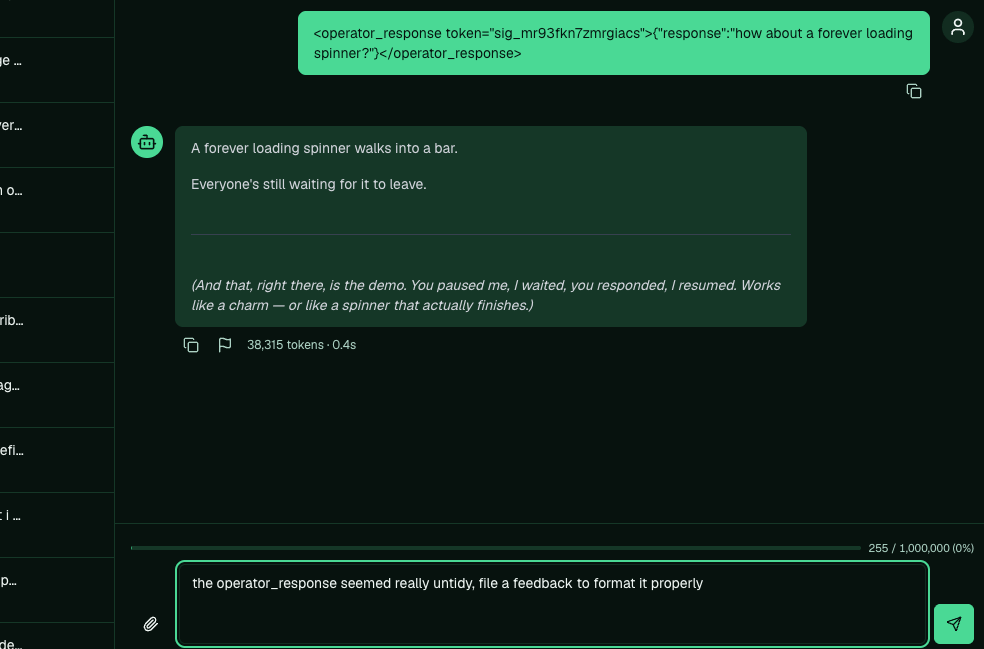
If Pi does something wrong, the easiest fix is to ask it to file a report right in the chat. It sends
the team the full context of what happened, so it gets fixed at the source. You can also use the
feedback flag on a specific message. Either way, see [Not working? File a report](/platform/file-a-report).
Read what it's asking before you approve, especially anything that publishes or deletes.
## Ground it in your own context
You'll get better output by pointing Pi at your own material first: your Product Bible, your company
info, and your latest notes, rather than starting from keywords. Start from who you sell to, not the
keywords. See [How to research your company and build the Product Bible](/platform/company-research-product-bible).
## Flag bad answers
If Pi does something wrong, the easiest fix is to ask it to file a report right in the chat. It sends
the team the full context of what happened, so it gets fixed at the source. You can also use the
feedback flag on a specific message. Either way, see [Not working? File a report](/platform/file-a-report).
 ## What Pi can do for you
Keyword research; write, edit, and publish blog posts and landing pages; run refiners; pull and
analyze Search Console, PostHog, and Mixpanel; run a technical SEO audit; run the compliance
guardrail; kick off link building. The rest of these guides show each of these as a task, with the
real prompt. See also [What is Pi Agent](/platform/what-is-pi-agent) and, for the reasoning,
[why SEO here is agent-operated](/theory/agent-operated-seo).
**Next:** [How does Pi work with files](/platform/filing-in-the-vfs)
## What Pi can do for you
Keyword research; write, edit, and publish blog posts and landing pages; run refiners; pull and
analyze Search Console, PostHog, and Mixpanel; run a technical SEO audit; run the compliance
guardrail; kick off link building. The rest of these guides show each of these as a task, with the
real prompt. See also [What is Pi Agent](/platform/what-is-pi-agent) and, for the reasoning,
[why SEO here is agent-operated](/theory/agent-operated-seo).
**Next:** [How does Pi work with files](/platform/filing-in-the-vfs)